Archive
Chrome
-
Chrome Suspicious Site Warnings: What They Mean
Chrome now separates suspicious-site warnings from known dangerous sites. Enhanced Protection adds AI scam checks and ClickFix alerts, while HTTP warnings apply more broadly.
-

eMudhra Certificate Incident: What Happened and What to Do
Browsers have blocked eight leaked eMudhra intermediate certificates, and Chrome drops the emSign ECC Root CA – G3 on 27 October. Here is what went wrong, why DSC and eSign users are not affected, and how site owners and admins can check their certificates.
-
ChatGPT Chrome Extension: What It Can Do With Your Tabs
The ChatGPT Chrome extension can now read your open tabs in Chat and control them in Work. Here is how to set it up, which plans get what, and the permissions worth limiting.
-
Gemini in Chrome India: Who Gets Auto Browse?
Gemini in Chrome is now on Android in India. See who gets Auto Browse, its daily limits, language requirements and what to check before using Google’s browser agent.
-
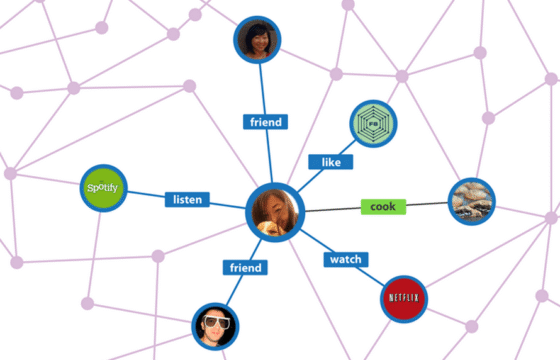
Facebook Addiction Control Part 3: Remove Facebook Ticker
This is the third post on our ongoing series on Facebook Addiction Control – How to Remove Facebook Ticker. Have a look at the first and second post. The reason behind the massive success of Facebook that it has mastered the art of productivity-killing by being the best procrastination tool out there. Apart from News Feed…
-
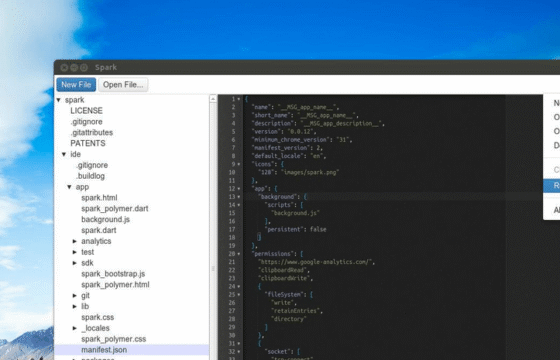
Google developing a New IDE Chrome App Codenamed Spark
François Beaufort revealed on Google+ that the Chromium team is working on a exciting new IDE for Google Chrome. This project is to enable Chrome OS users to have a better IDE for development. The IDE is built with Dart, which came out of beta a week ago and Polymer for widgets GUI. It’s codenamed Spark and the…
-

How To Disable Touchscreen On ChromeBook Pixel
Chromebook Pixel comes with a amazing display which is also a touch screen. If for some reasons you’re not comfortable with the Touch Screen, you can disable touchscreen on ChromeBook Pixel. Go to chrome://flags Set the “Touch Events” flag to “Disabled” Touch screen tips for your Chromebook Pixel Tap: Just tap the screen on the…
-

Google Chrome Extensions for Penetration Testing
With e-hack around the corner I thought of posting a few amazing Chrome Extensions I use for checking vulnerabilities on Websites. E-hack is a Capture the Flag event which is going to be conducted on 27th July in Chennai. If you haven’t registered already you can still register here.You can find the full coverage about…
-

Google’s Cube Slam Cheats
Cube Slam is a video game that you can play face-to-face against your friends. It’s a Chrome Experiment built using WebRTC, an open web technology that lets you video chat right in the browser without installing any plug-ins. Cube Slam’s graphics are rendered in WebGL and CSS 3D, and its custom soundtrack is delivered dynamically through Web Audio. Try Cube Slam Now !…
-
Get All Chromium Assets In One Place
If you’re a designer or just an avid fan of assets, you can go right now to (link no longer available) and start to skim more than 1300 assets live. The cool thing is that you can also share some of your favorite assets. (link no longer available) (link no longer available) (link no longer available) (link no…
-
Access Chrome Apps From Spotlight
A “Create shortcut” context menu option in chrome://apps has been added in the last chromium build for Mac which allows you to launch your favorite Chrome Apps from Spotlight. If you want to test that, download the last Chromium build at download-chromium.appspot.com (or wait for Canary to auto-update) How To Make the Chrome App Accessible From Spotlight Enable the flag chrome://flags/#enable-app-shims…
-
Google Chrome Voice Search
Google’s Chrome has had the ability to do voice search for about two years now, but the latest version of Chrome is different. Now, when you ask Google certain questions about the weather, sports scores, stock prices, directions and calculations, you get a spoken answer. You can download the latest Google Chrome from here. I did not…
-
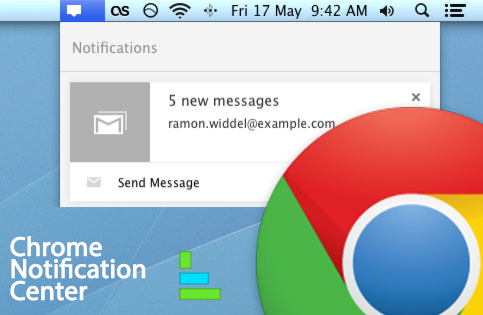
Chrome Message Center Arrives with Chrome Canary for Mac
Mac users now have access to Chrome’s new ‘Message Center’ in Canary builds. The feature, already available to ChromeOS and Windows Dev Channel users, provides a centralised place for viewing and responding to various alerts from services, apps, and extensions. At present the feature isn’t too fancy; a status bar item has been added to the…