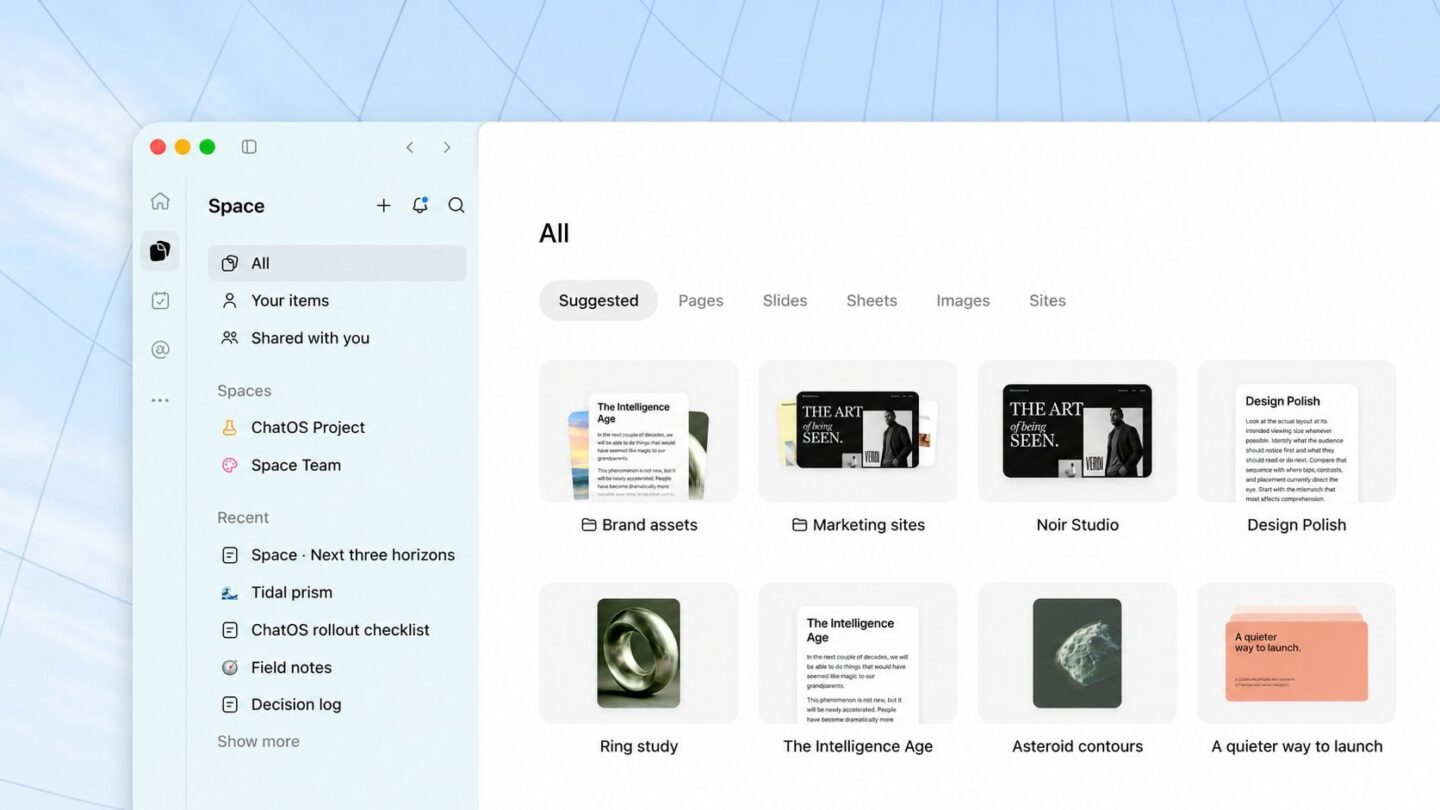
ChatGPT Space is rolling out to Plus subscribers, replacing Library in the sidebar as each account gets access. ChatGPT Space is where your pages, slides, images and uploaded files now live, and it lets you build documents and presentations with ChatGPT that other people can edit with you. Shared pages require an invitation and an account with Space access. Free users cannot open them.
OpenAI started rolling Space out to Plus users aged 18 and above worldwide on 20 November, after its earlier availability on Pro, Business and Enterprise. It works on the web, in the desktop app and, for editing pages, in the iOS and Android apps.
What ChatGPT Space actually is
Space keeps editable documents alongside your chats. A page is an editable document, such as meeting notes, a research summary or a project brief. A space groups related pages and files, and you get a personal space plus any others you create for a topic or a team. Pages can have subpages, so a project overview can hold weekly updates underneath it.
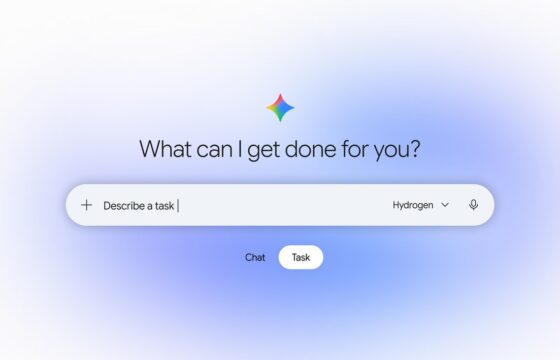
You can start a page from a conversation by asking ChatGPT to turn it into one, write directly in Space, or pick a template from Space home. After that you edit the text yourself or ask ChatGPT for specific changes, like shortening the introduction or adding a chart that compares figures. Pages can also hold trackers and small interactive tools that ChatGPT builds for you.
One practical detail for Plus users: if you hit your Plus message limit, you can still edit pages and slides by hand. You just lose the ChatGPT help until the limit resets.
Pages that keep themselves updated
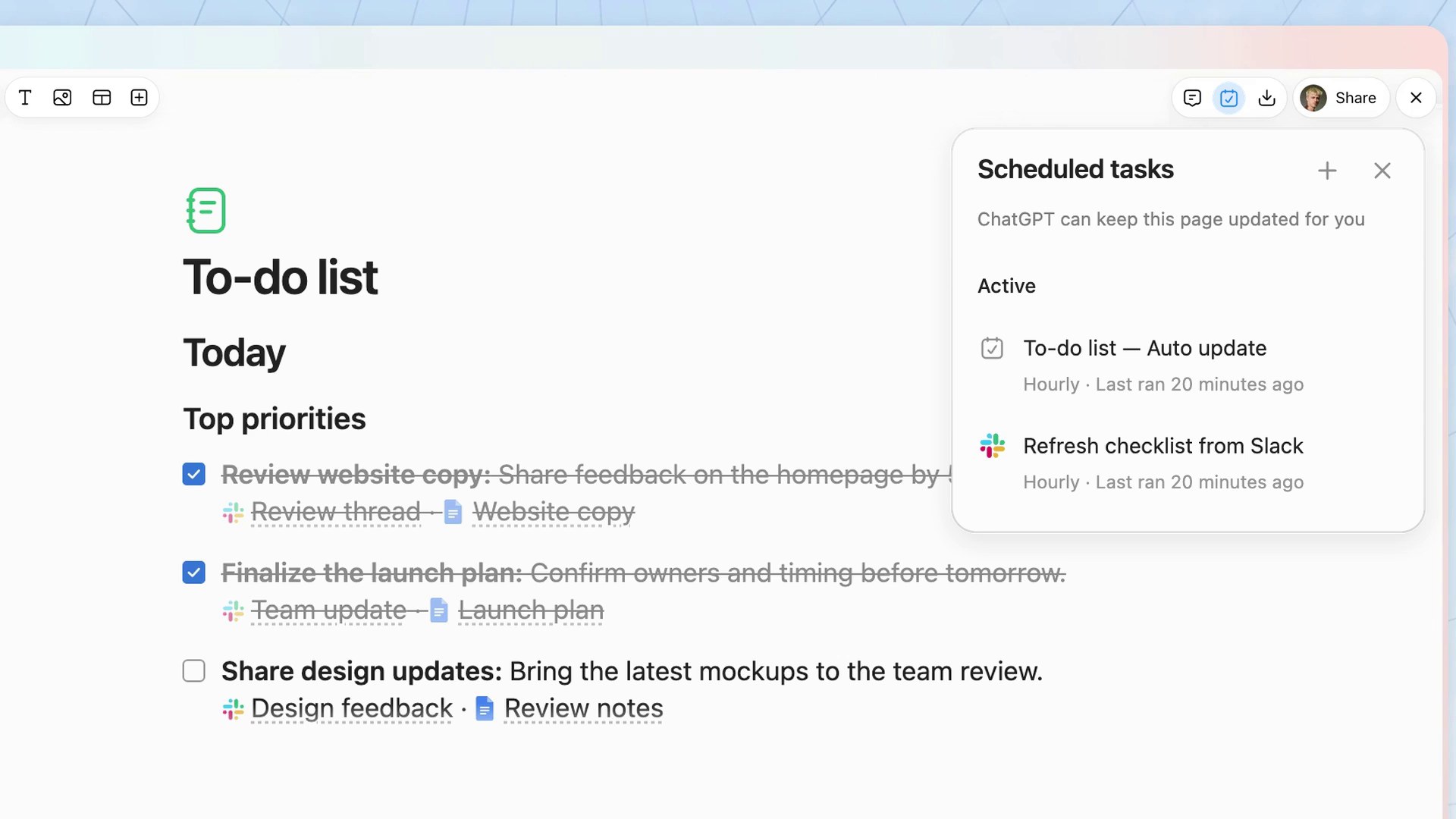
Pages and slides can also update on a schedule. You can set a page or a slide deck to refresh itself based on your connected apps and tools. OpenAI’s examples are a to-do list that updates as feedback comes in, and a project plan that stays current with decisions made in Slack. In OpenAI’s demo, the to-do page runs scheduled tasks every hour.
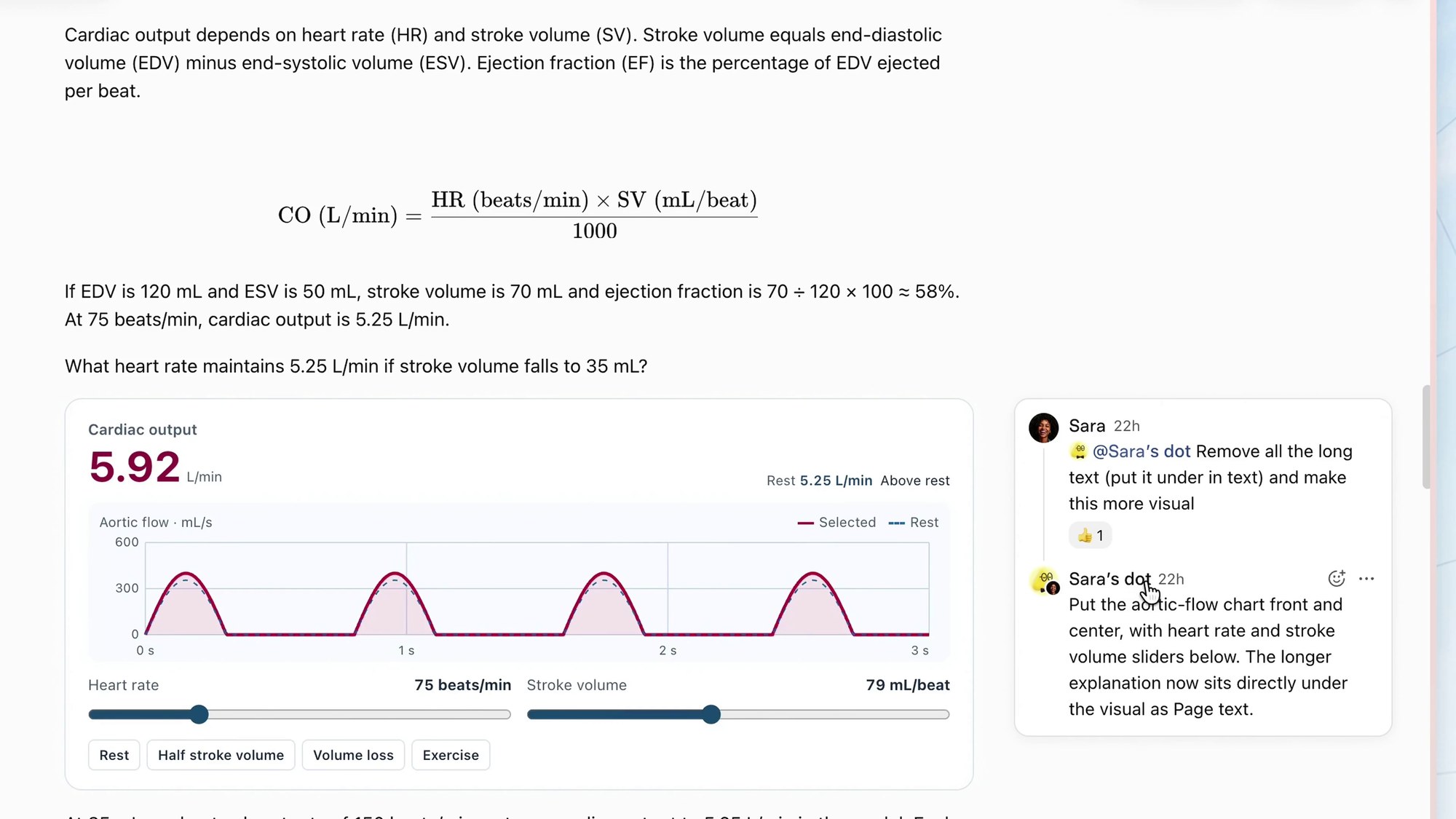
Collaboration works through comments. Select a passage, leave a comment, and tag ChatGPT to make the change. If you are on Pro and have one of OpenAI’s always-on assistants, which it calls dots, you can invite your dot into a page too. Our explainer on ChatGPT Wallet and dots covers what those assistants do.
What Space means for Library, Projects and slides
| Thing you used before | What happens with Space |
|---|---|
| Library | Replaced by Space, which now holds pages, slides, images and uploaded files |
| Projects | Unchanged and separate, still for project chats, files and instructions |
| Images | Inside Space, split into Your creations and Uploads |
| Slides | Rolling out to Plus accounts with Space access |
| Sheets | Listed by OpenAI as coming soon |
Slides is the other big addition. You can ask ChatGPT to create a deck from notes or files, edit text, charts and layouts directly, and present from ChatGPT. On the web you can export to PowerPoint, PDF or Google Slides. OpenAI notes that on Windows 10 and some Windows 11 PCs the desktop app falls back to PowerPoint files for local slide work, so use the web version if collaborative Slides does not appear.
Who can open what you share
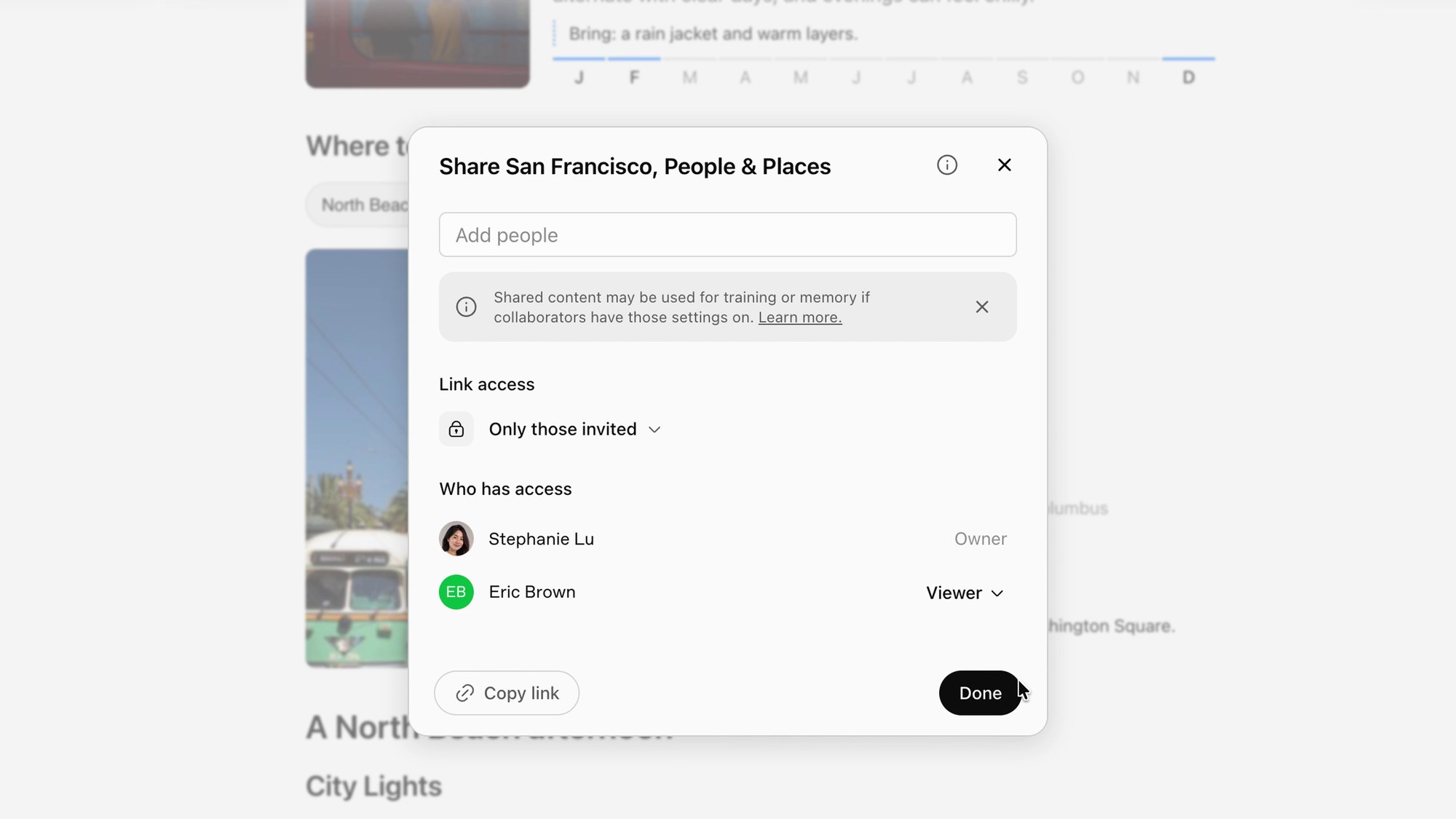
To open a shared page or presentation, a person needs your permission and must be signed in to a Plus, Pro, Business or Enterprise account that has Space access. People on the Free plan cannot open them, and public links are not available.
That limits Space as a replacement for a document you want anyone to read. Go is not on OpenAI’s supported-plan list either. A study guide shared with classmates needs everyone to have an eligible account with Space access. If most of your group uses ChatGPT for free, our guide to free AI chatbot limits in India explains what they actually get.
For slides there is a simple workaround: export the deck to PDF or PowerPoint and share the file the usual way. The slide export options do not establish the same export support for pages.
Privacy details to check before you share
- Each collaborator uses their own ChatGPT. Sharing a page does not expose your private chats or Memory, but anything written onto the page is visible to everyone who can view it.
- Training follows each person’s settings. If you have training turned off and a collaborator has it on, OpenAI says your contributions may still be used for training through their interaction. OpenAI does not train on Business or Enterprise data by default.
- Files uploaded into a page follow the page’s permissions. Links to files stored elsewhere do not give readers access to the original.
- Subpages inherit access from their parent. Removing someone’s direct invite does not remove access they get from a parent page or space.
- Deleting a page sends it and all its subpages to Trash, including subpages other people own.
Files from locked chats stay hidden from Space while the chat is locked. If you use ChatGPT locked chats for anything sensitive, that protection carries over.
How to start using Space
- Update the ChatGPT app or desktop app to the latest version.
- Open Space from the sidebar. If it is missing, the rollout has not reached your account yet.
- Ask ChatGPT to create a space, for example “Create a space named Exam prep”, then ask for a page inside it.
- Use Share on a page to invite people with view or edit access.
On a phone you can find, read, share and edit pages, while slide exports stay on the web. If you already work from the browser, the ChatGPT Chrome extension pairs well with building pages from research.
Is it worth using?
Space makes sense for work you return to: study notes, project trackers and decks. Scheduled updates can save you from rebuilding those documents after every new decision. The sharing restrictions are the bigger limitation if your team or family uses Free. For personal pages and work with other eligible subscribers, it is worth trying. For a document that needs to reach people without Space access, a conventional shared document is easier.