
A lot of people have been having issues with using Whatsapp on BSNL wi-fi. It is either blocked or it is a mistake on BSNL’s part. Anyways, we have a workaround.
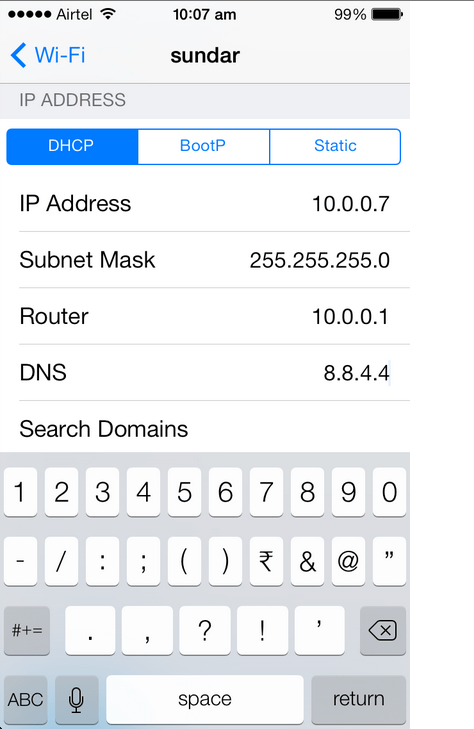
On your iPhone, go to Settings>Wi-Fi and click on your wi-fi. Here, you’ll see DNS. Click on it to edit it.
Change the DNS to 8.8.4.4
Open Whatsapp. Voila, it should work now. If you’re still facing any problems, do let us know in the comments section.
If you want a global hack which would let any device on your wi-fi network to access whatsapp, check this out.





Leave a Reply