
A lot of people using BSNL broadband are having trouble accessing WhatsApp’s servers for the past 24 hours . If you can’t access Whatsapp on your BSNL WiFi , don’t panic we have a fix for you .
We have figured out that this problem is caused by BSNL’s DNS*. However at this time, we are not sure whether it’s a glitch in BSNL’s end or BSNL has decided to block Whatsapp permanently.
This block can by bypassed by configuring your connection to use Google’s DNS instead of the default DNS provided by BSNL.
Steps
For Android Users:
1. Go to Settings -> WiFi
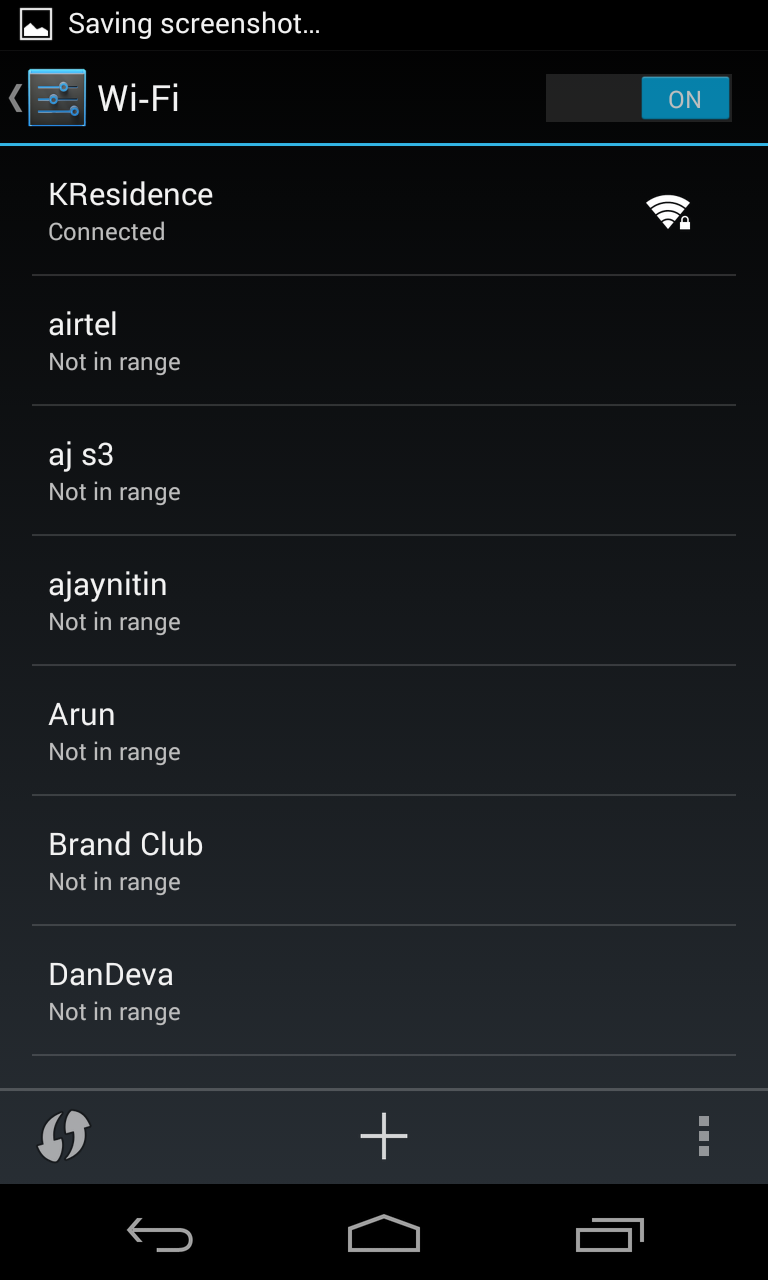
2. Long press on your Wifi Network and choose Modify Network.
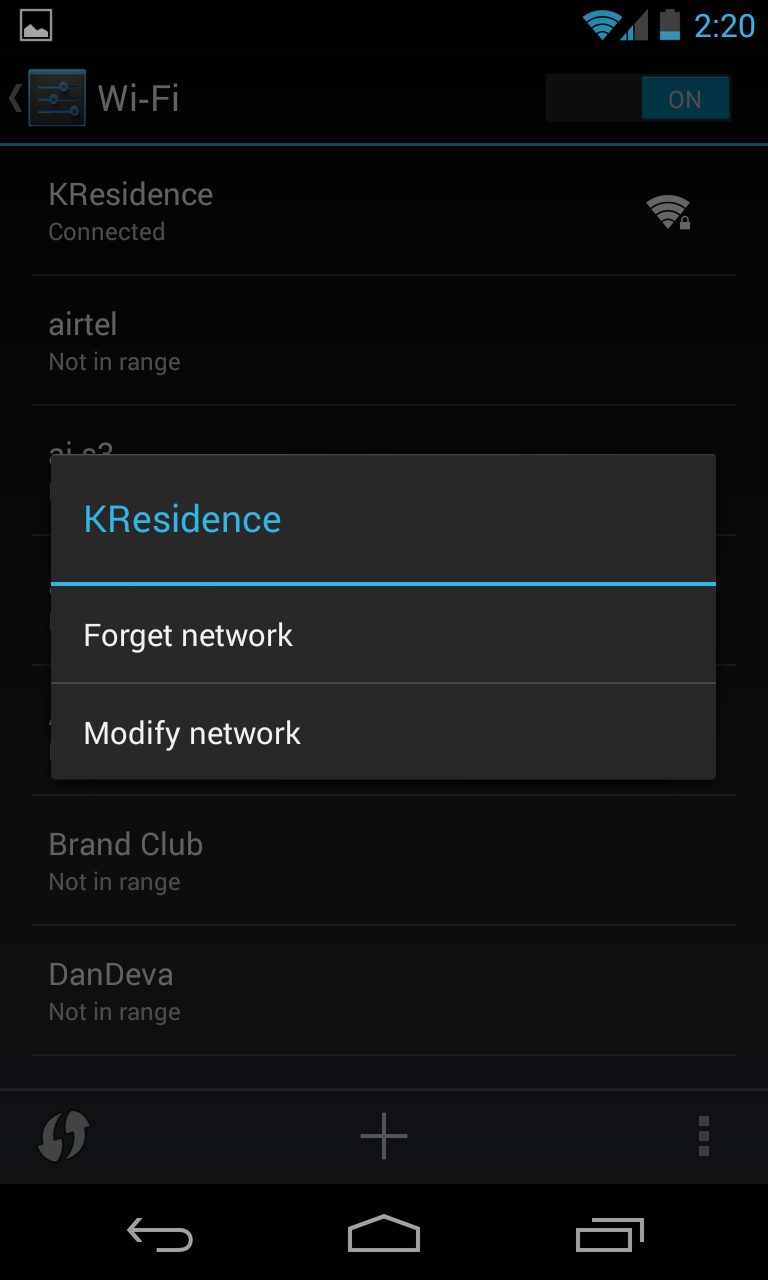
3. Check Show Advanced Options.
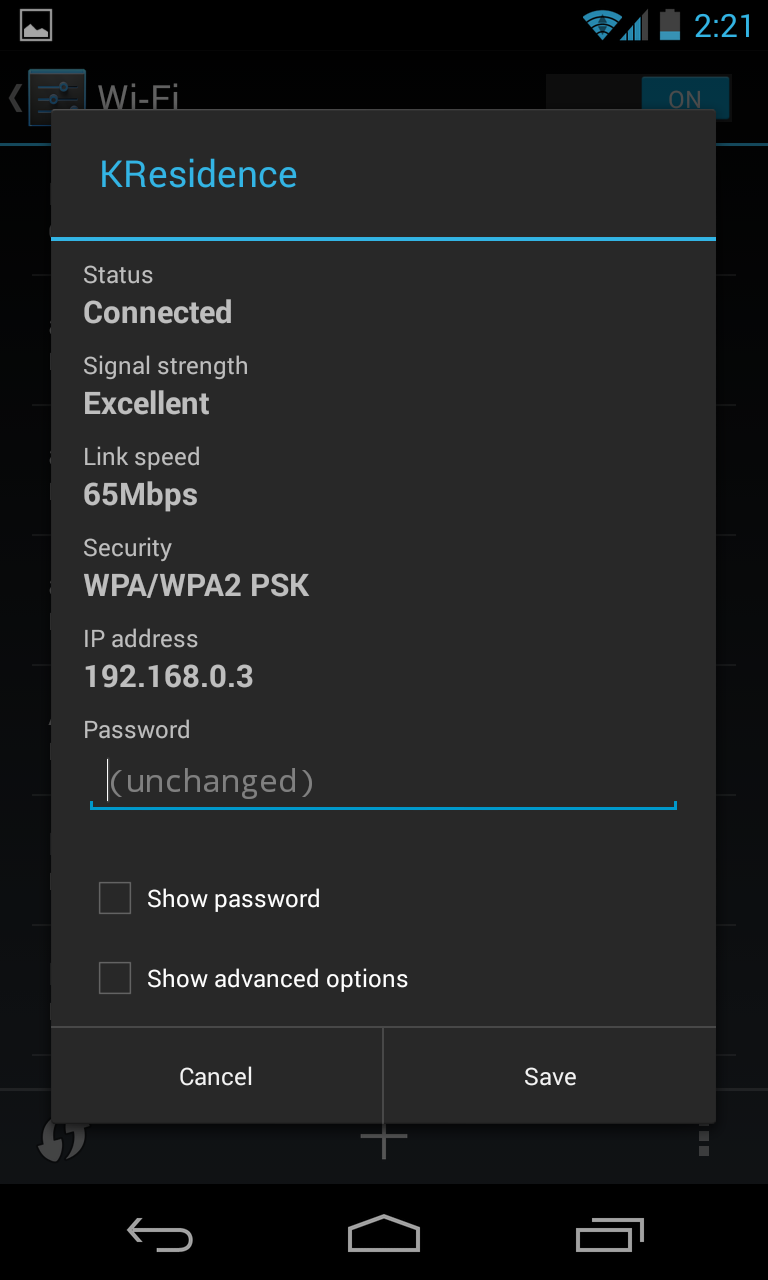
4. Change IP settings to Static and set DNS1 to 8.8.8.8 and DNS2 to 8.8.4.4
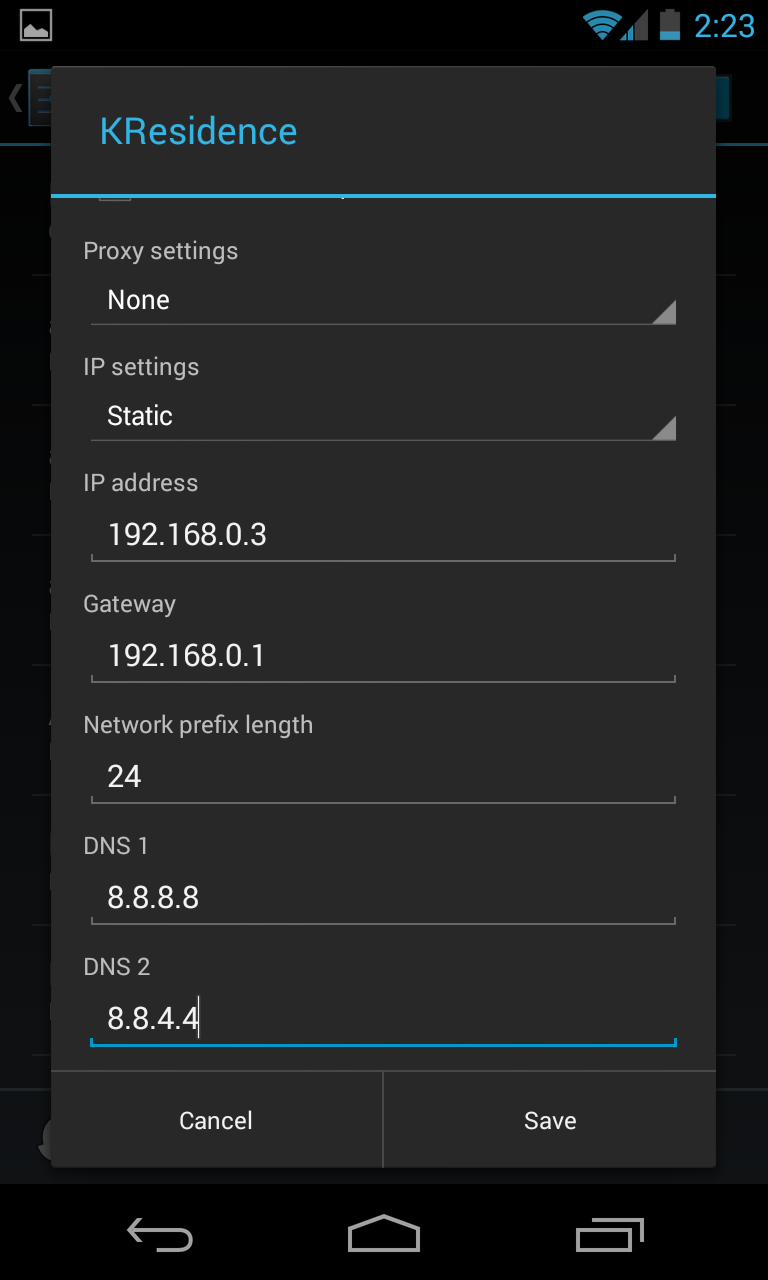
5. Hit Save.
6. Switch off your phone and switch it on after 30 seconds . This will flush your DNS cache and the new DNS info will be loaded.
And you’re done. You should be able to connect to WhatsApp’s servers .
The DNS Servers are hosted by Google so you should also have a slight increase in performance while browsing web too. If you have the same problem while using BSNL 3G you should take a look at this – Access Whatsapp through blocked networks using Tunnel VPN
The procedure is same for iOS users.
* DNS – Domain Name Server


Leave a Reply