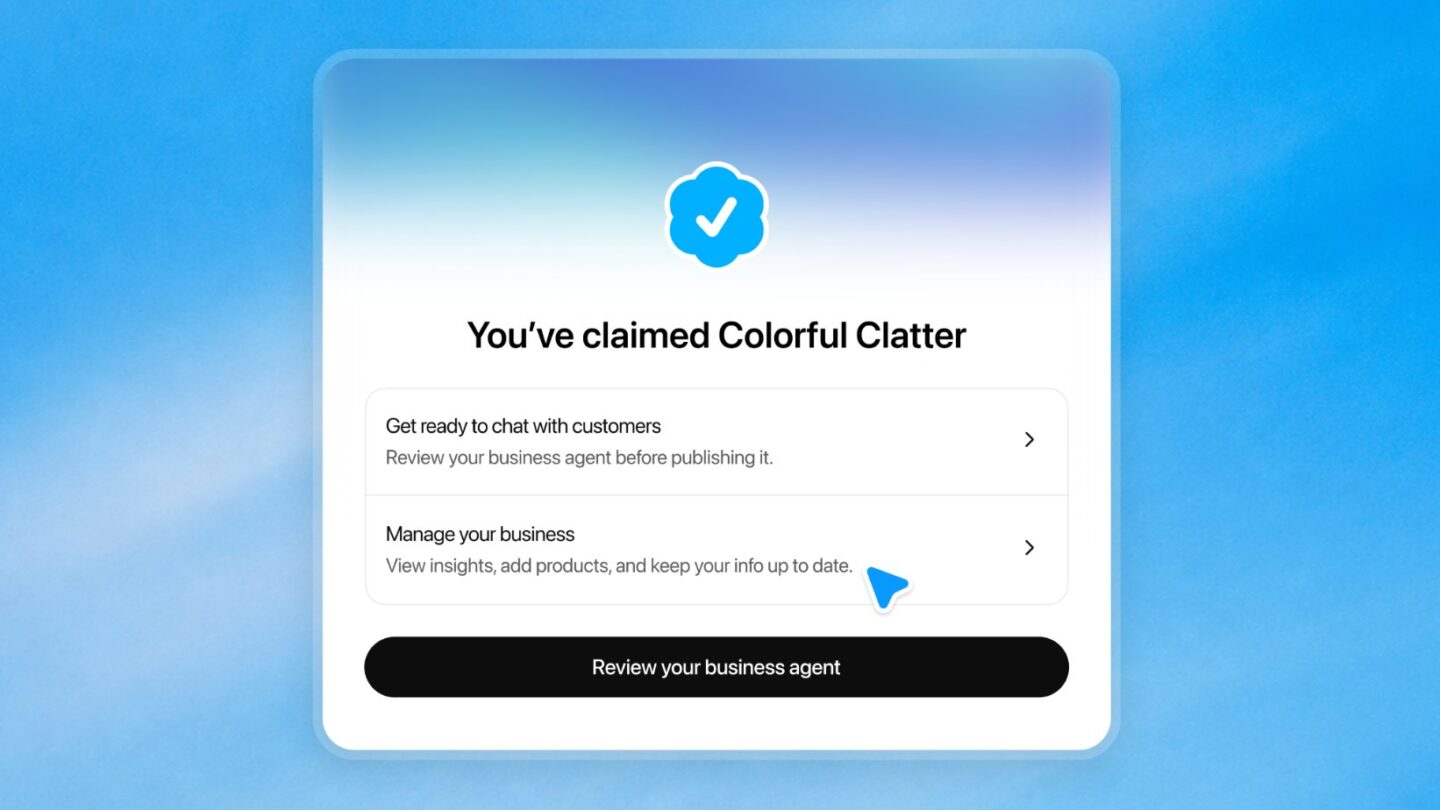
OpenAI now lets businesses claim a profile inside ChatGPT, much like a Google Business Profile. Through a new Business Hub, launched in beta on 10 November, a verified owner can update the details ChatGPT shows about a brand, upload a product feed and see how often ChatGPT mentions or links to the business. Indian online businesses can claim a profile today, subject to verification. Local shops and restaurants in India cannot yet, and the chatbot-style Business Agents are limited to the US for now.
With OpenAI putting ChatGPT at 1.2 billion weekly users, this is the first official way for a business to correct how it shows up in AI answers instead of guessing.
What Businesses in ChatGPT includes
There are three separate pieces, and only the first two matter outside the US right now:
- Business profile. A claimed listing with your website, description, category, logo, delivery and return policies, and an optional cover photo.
- Insights. Aggregated numbers on mentions, website clicks and the conversation themes where your business comes up.
- Business Agent. An optional assistant that answers customer questions using your product and policy information, in a chat that is clearly labelled and kept apart from ChatGPT’s own answers.
Claiming, publishing an agent and advertising are independent. You can claim a profile and use insights without ever touching ads or agents.
Can Indian businesses claim a ChatGPT profile?
OpenAI says any eligible business located where ChatGPT is available can claim it, and ChatGPT is available in India. The catch is in the help documentation: local stores and restaurants can currently claim only an existing US listing. Online businesses, by contrast, may see an option to add themselves if no listing exists.
| Business type | Claim a profile | Insights | Business Agent |
|---|---|---|---|
| Indian D2C brand, Shopify store or online service with a website | Yes, if verification is supported | Yes, after Persona approval | Not yet (US only) |
| Indian local shop or restaurant | Not yet | No | No |
| US ecommerce or online service | Yes | Yes | Yes, if the category is eligible |
| US local store or restaurant | Existing listings only | Yes | No |
OpenAI says it plans to expand to more markets and business categories over time, but it has not given dates.
How to claim your business in ChatGPT
The process has two stages: proving you are connected to the business, then proving who you are.
1. Sign in to ChatGPT and open Business Hub from the sidebar. Search for your business by name.
2. Pick the matching listing and confirm which ChatGPT account will manage it. Use an account the business controls, not a personal one you might lose access to.
3. Choose a verification method: a code by SMS or automated call to the business phone, a code to the business email, a DNS TXT record on your website domain, or connecting your Shopify store.
4. Wait for OpenAI’s review. The decision, or a request for more information, arrives by email.
5. Complete identity verification with Persona. This step unlocks publishing changes, insights, product feeds and agents, and it is what adds the blue verified check.
The domain method is the cleanest for most small online businesses. You copy the TXT record from ChatGPT into your registrar or DNS host exactly as shown, then return and tap Verify domain. If you have set up DNS records such as DMARC before, this is the same kind of edit, and DNS changes can take a while to appear.
For Persona, OpenAI says you may need a government ID, business registration information and proof that you can represent the business. If a check fails, the help page points to mismatched details, so make sure the business name, address and any registration or tax number, such as your GST number, match your official records exactly.
One warning: if you use Persona to create a brand new profile, approval publishes it automatically. Only unpublished drafts can be deleted, and OpenAI Support cannot unpublish or hide a published profile, so fill in the details properly before submitting.
What the insights actually measure
After approval, the Insights tab shows activity for the past 28 days. The definitions are narrower than they sound:
- Mentions. For an online business, a mention counts only when ChatGPT references your website. Your brand name appearing in an answer does not count.
- Website clicks. How often people click through to your site.
- Discovery topics. Themes from answers that mentioned or cited you. These are grouped categories, not individual prompts.
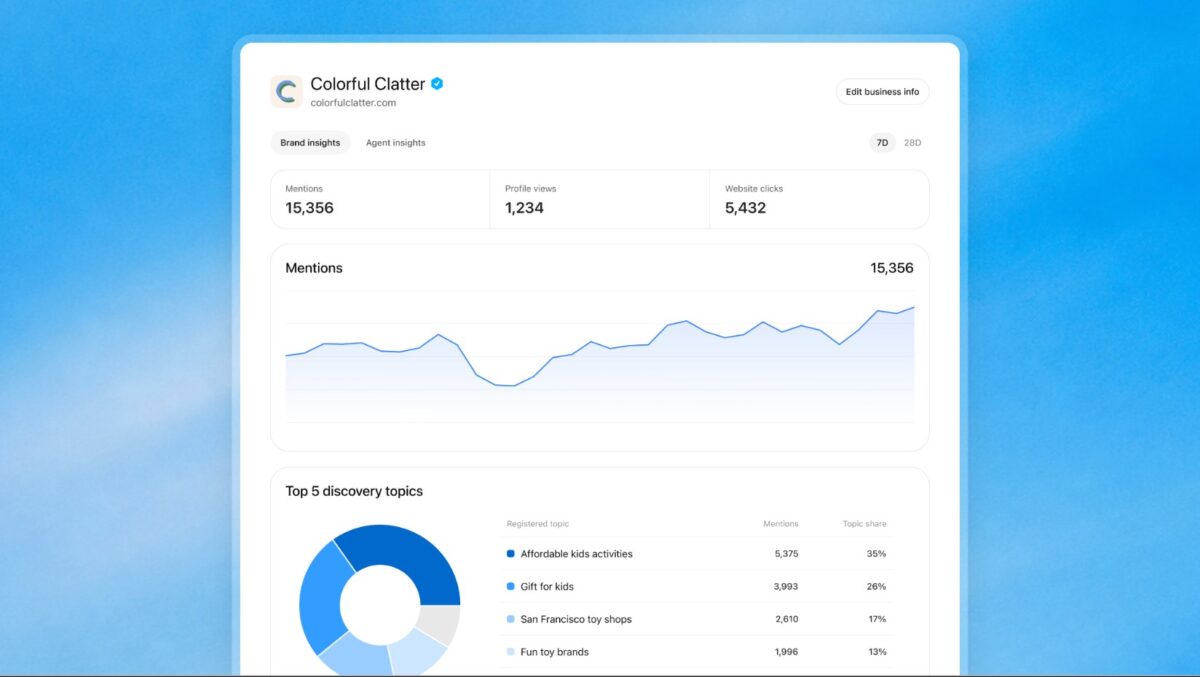
OpenAI does not share user conversations or Business Agent chats with businesses, and numbers appear only once activity crosses a reporting threshold. A blank metric does not necessarily mean zero activity. For a small Indian brand, expect sparse data at first.
Will claiming make ChatGPT recommend you more?
No, and OpenAI is explicit about it. Claiming lets you manage the information you provide, but it does not guarantee higher placement or give you control over ChatGPT’s independent recommendations. Advertising does not influence those answers either. Updates are reviewed before they go live, and ChatGPT may still draw on other sources about your business.
Claiming is useful if ChatGPT has your business details wrong or you want to provide a current product feed. An eligible online business in India can start with the claim and verification steps. Business Agents are available only to eligible US businesses for now.
Even in the US, Business Agents cannot take orders, make bookings or check order status. They answer questions about products and policies, then send customers to the business website.
Frequently asked questions
Is it free to claim a business in ChatGPT?
Yes. You do not need an ads account or a ChatGPT Enterprise agreement to claim an eligible business.
Can my agency manage the profile?
The admin who claimed the business can add teammates and grant an agency access from Business Hub. Each person should use their own ChatGPT account.
Someone else already claimed my business. What now?
Open the profile, tap the three-dot menu and choose Dispute ownership, then verify with Persona.
Do I need Shopify?
No. Shopify is one verification and product feed option. You can also upload a CSV product feed or use phone, email or domain verification.
Does claiming the main brand cover all my outlets?
No. Each brand is managed separately, and claiming the main brand does not claim its locations.