
Alexa for Shopping is rolling out in India with a useful way to check a deal: Price History on the product page. It shows how a price moved over the last 30, 60 or 365 days. The assistant is free for anyone signed in to Amazon.in, and you do not need Prime or an Echo speaker.
Alexa for Shopping is Amazon’s merger of Rufus, its shopping chatbot, with Alexa+, so the assistant in the Amazon app can also use what you have told Alexa at home. Amazon began the India rollout on 12 November on “select storefronts” of the Amazon Shopping app and website, so it may not show up on your account or in every category yet.
What Alexa for Shopping can do on Amazon.in
Inside Amazon, it can answer shopping questions and help with your basket and orders. Amazon lists these features for India:
- AI overviews at the top of search results and on product pages, summarising a category and what to look for.
- Side-by-side comparisons of products, covering features, prices and review highlights pulled from Amazon and public sources.
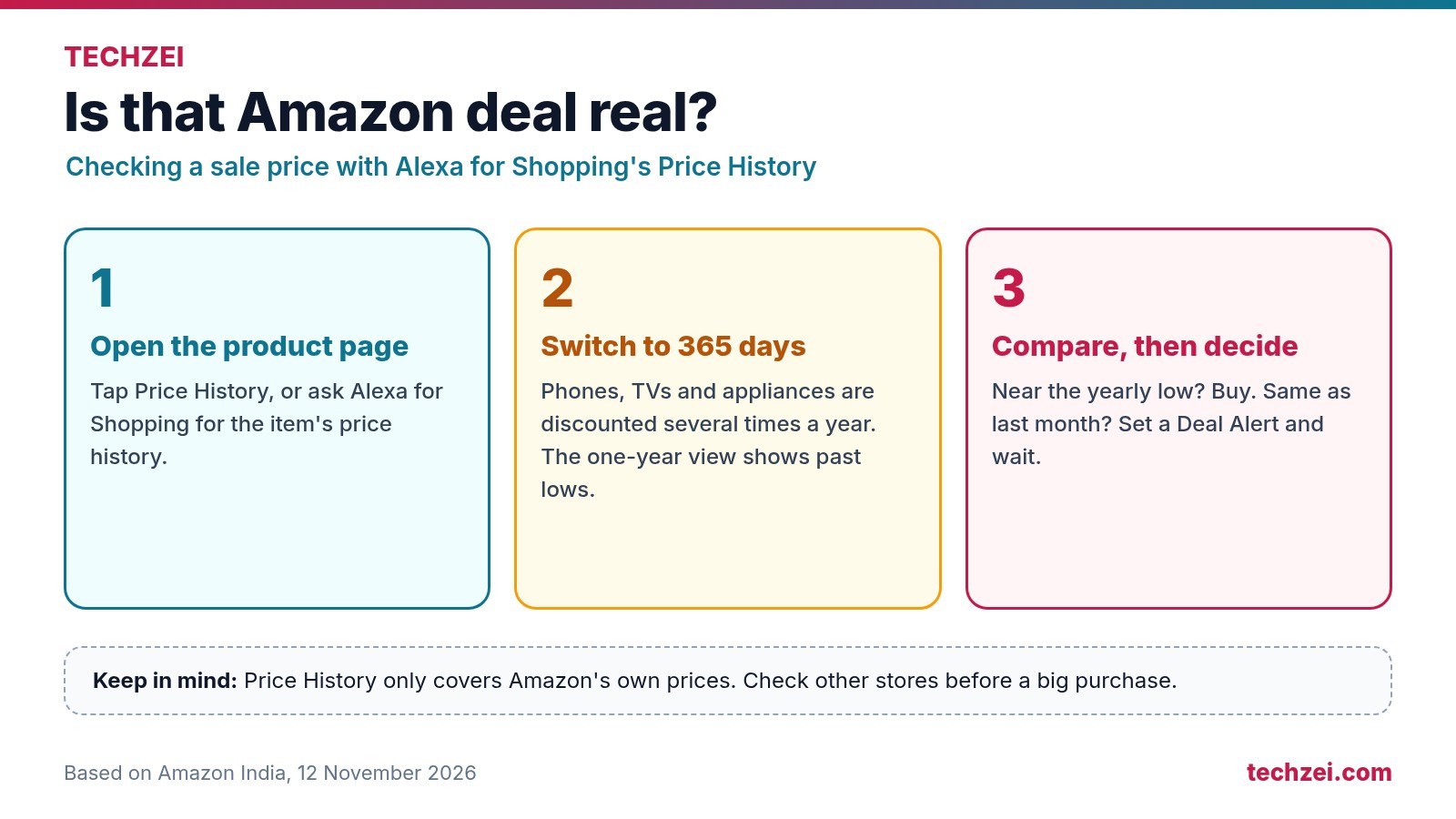
- Price History for 30, 60 or 365 days, through a button on the product page or by asking.
- Deal Alerts that notify you when a price drops or a relevant deal appears.
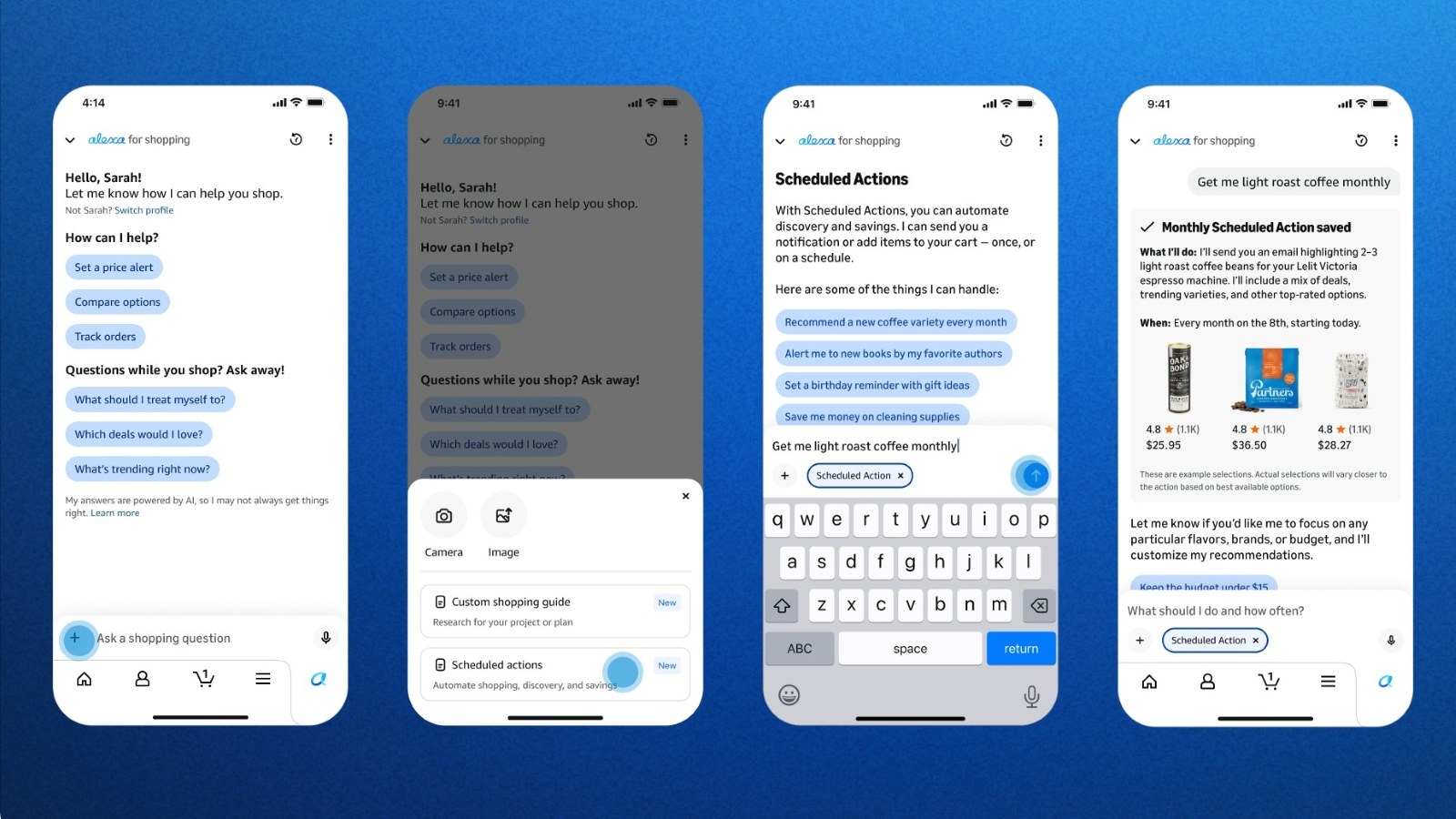
- Scheduled Actions, one-time or recurring automations such as restocking a household item each month only if it falls below a price you set.
- Basket building from past orders, such as “add my usual cleaning products”.
- Shopping guides for bigger purchases like a 55-inch TV or a gaming laptop, built around what you say matters to you.
It also handles the routine chores the old assistant did: tracking packages, checking order status, finding items in a price range and starting returns.
How to open it
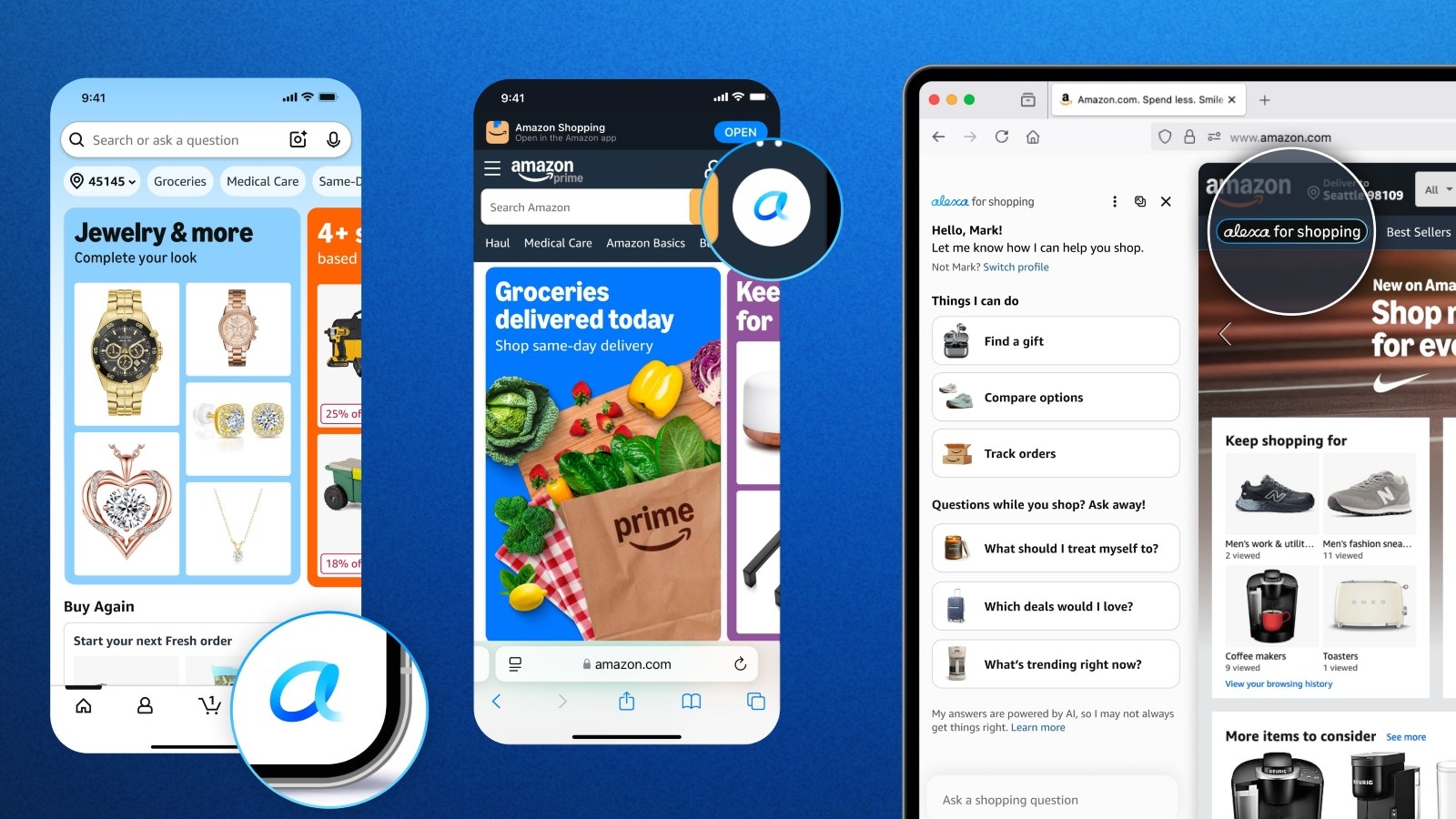
Update the Amazon Shopping app, then look for the Alexa icon in the bottom navigation bar. On a computer, it sits at the top of the Amazon.in page. If you do not see it after updating, your account or storefront has not received it yet; Amazon is rolling it out in stages and says more capabilities will arrive in India over the coming weeks and months.
There is no separate sign-up and no charge. You only need to be signed in to Amazon.in.
Price History is the feature that matters
A sale badge does not tell you whether today’s price is unusually low. The 365-day view gives you a better reference point before you pay.
On a product page, tap Price History and compare today’s price with the last year. For a phone or TV that goes on sale several times a year, that is more useful than the crossed-out list price.
This is Amazon’s price history. It does not compare the same product across stores, so it can help you judge an Amazon deal without proving that Amazon has the lowest price.
Deal alerts and scheduled restocks
Amazon says customers set more than 4 million deal alerts for the Great Indian Festival 2026. Alexa for Shopping folds those alerts into the assistant and adds Scheduled Actions on top.
Amazon describes Scheduled Actions for India, but its India announcement does not give a step-by-step setup path. For example, you can tell it to reorder atta, tea or detergent every month, but only if the price is under a figure you choose. That suits households that already buy the same essentials on Amazon. Before you set one up, decide whether you are comfortable with an assistant placing orders on a schedule, check which payment method and address it will use, and keep an eye on the first couple of runs.
It knows what you tell Alexa at home
Amazon says what you share with Alexa on Echo devices can inform your shopping on Amazon.in, and what you browse and buy on Amazon.in can make Alexa more helpful elsewhere. Ask it for a birthday gift and it can factor in a child’s age you mentioned earlier; ask for dog treats and it can pull up “the usual”.
If you would rather keep that separate, Amazon says you can view, update and delete what you have shared, such as family members’ preferences, pets, interests and dietary needs, by asking the assistant itself. That is convenient, but it is worth doing once early on, so you know what it has stored about your household.
Requests that go beyond shopping, like playing music or controlling smart home devices, are handed off to Alexa+ in the Alexa app or at Alexa.com.
| Alexa for Shopping in India | Details |
|---|---|
| Rollout began | 12 November 2026 |
| Price | Free when signed in to Amazon.in |
| Prime or Echo needed | No |
| Where | Select storefronts of the Amazon Shopping app and website |
| Price History | 30, 60 or 365 days |
| Automation | Deal Alerts and Scheduled Actions |
| Non-shopping requests | Handed to Alexa+ in the Alexa app or Alexa.com |
Amazon is also clear about what it is not for. Its India page says the assistant is meant only for shopping queries on Amazon.in and should not be used for news, financial, legal or medical information. Product comparisons are still AI summaries of listings and reviews, so check the specifications on the product page before you buy something expensive.
Should you use it?
Price History is worth trying when it appears on your account. It is free and gives you a better way to judge an Amazon sale price. For a new phone, compare the actual models and specifications too; our phone buying guide can help narrow the choice.
I would be more careful with automated orders and sharing household details across Alexa devices. Automated orders are only convenient until one ships to the wrong address or at a price you did not expect, and sharing household details across Echo and Amazon.in is a choice worth making on purpose rather than by default.