Samsung’s next Galaxy update is open for testing in India, and the feature most people will care about is a built-in App Lock. The One UI 9.5 beta opened on 18 November for the Galaxy S26, S26+ and S26 Ultra in India, the US, the UK, Germany, South Korea and Poland, and you sign up through the Samsung Members app.
Joining takes a few minutes. Leaving is the hard part, because going back to stable One UI 9 means wiping your phone. If your S26 is the only phone you rely on for UPI payments, banking OTPs and work, that trade-off should drive your decision more than the feature list.
What One UI 9.5 adds
Samsung groups the beta into four areas: camera, health, accessibility and privacy. It is a point release on top of One UI 9, so expect refinements rather than a redesign. The announcement focuses on everyday controls rather than new Galaxy AI tools.
| Area | What changes | Fine print |
|---|---|---|
| Privacy | App Lock for individual apps, using fingerprint, face or your screen lock | Notification content and widgets of locked apps stay hidden |
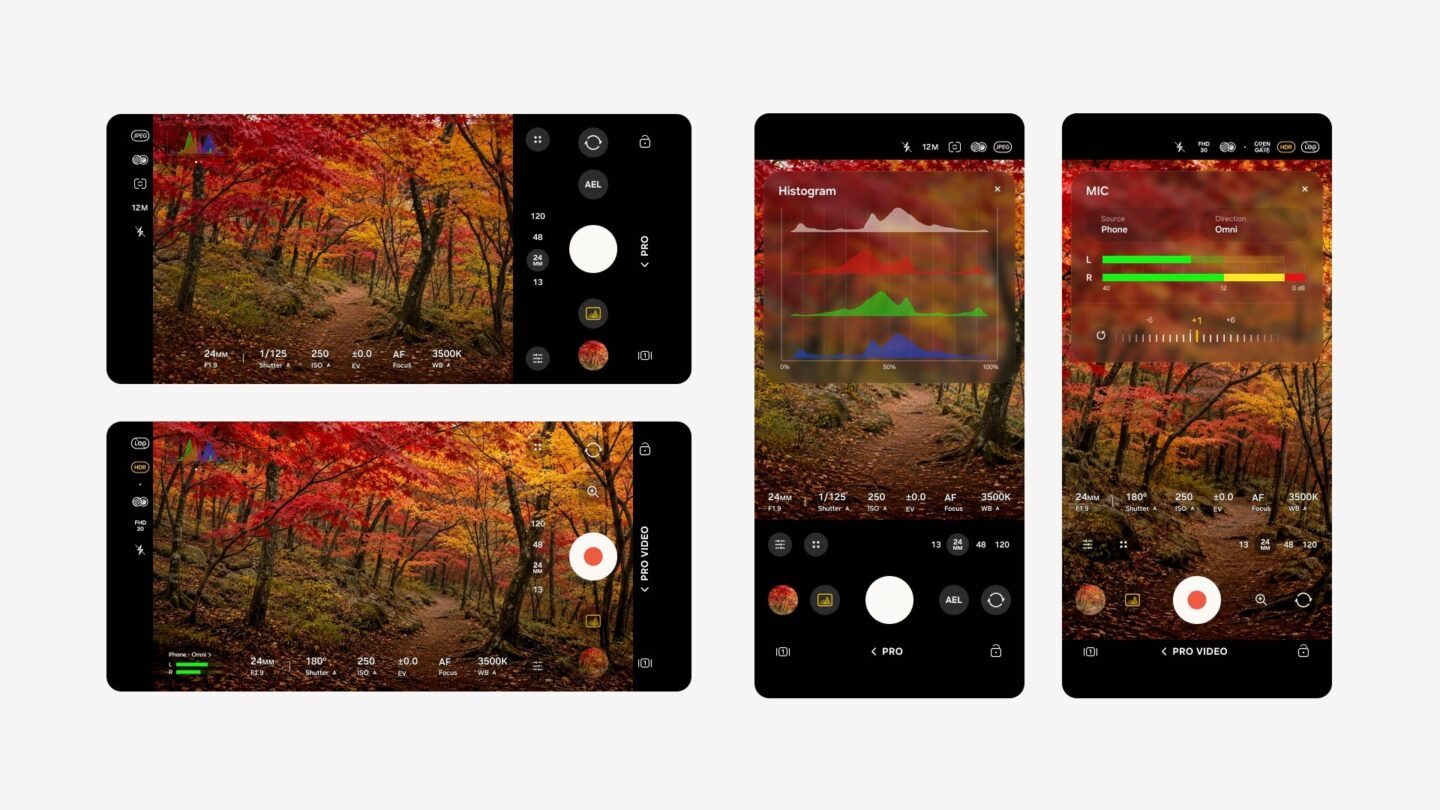
| Camera | Customisable Pro and Pro video modes with presets, plus a zoom bar and controls on one screen | Pro and Pro video support required; Pro Lite and Pro Video Lite excluded |
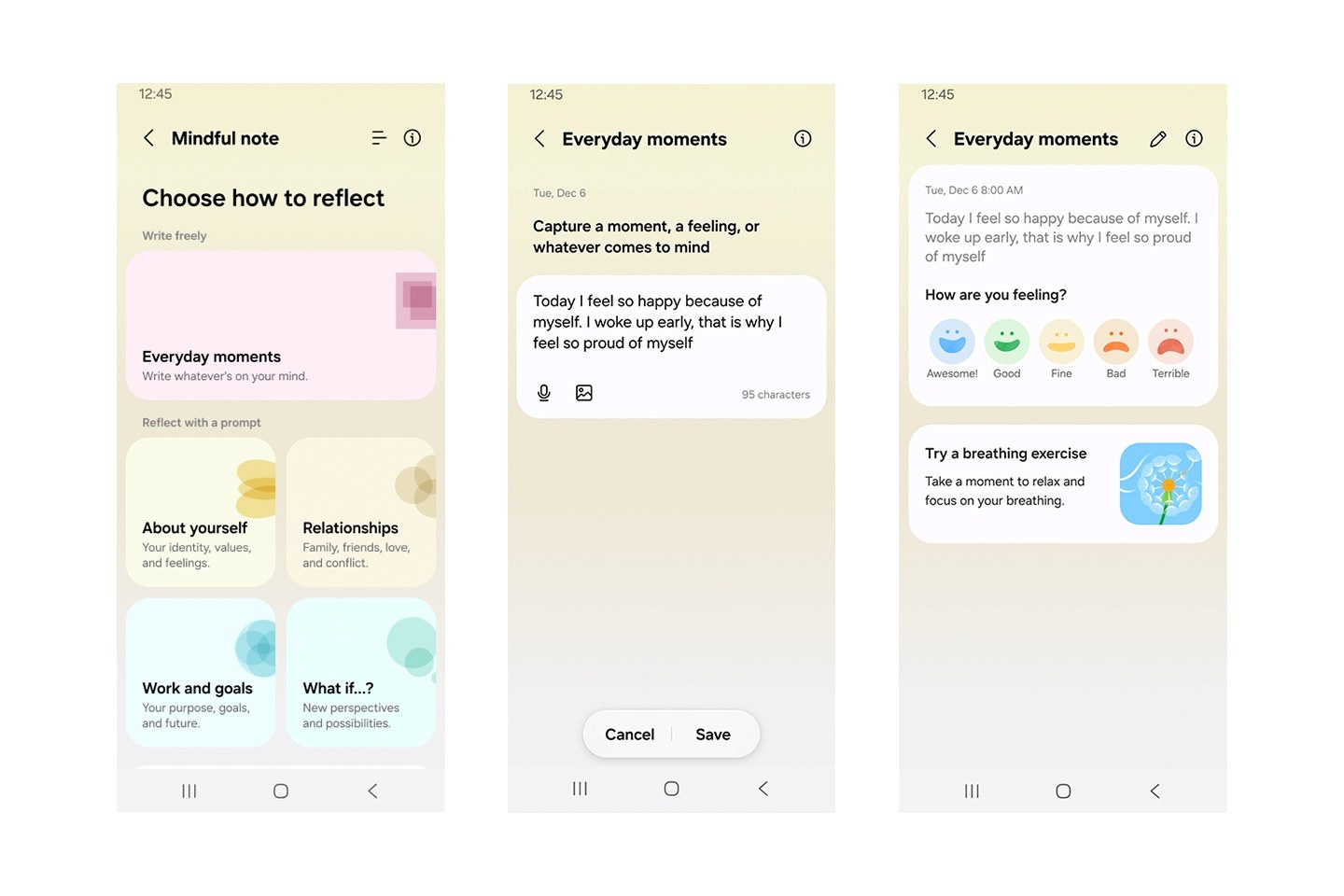
| Samsung Health | Mindful Note journaling and a Medications tracker with reminders | Mindful Note not on Galaxy Watch; Medications varies by market |
| Accessibility | Floating shortcut for frequent controls; hearing aid volume and sound routing from the notification panel | None listed |
What App Lock protects
Until now, the usual workaround was Secure Folder or a third-party locker app. App Lock is simpler: pick an app, and anyone who opens it must pass your fingerprint, face unlock or screen lock first. Samsung says locked apps hide their notification content and widgets as well, so a message preview should not give away what you have locked.
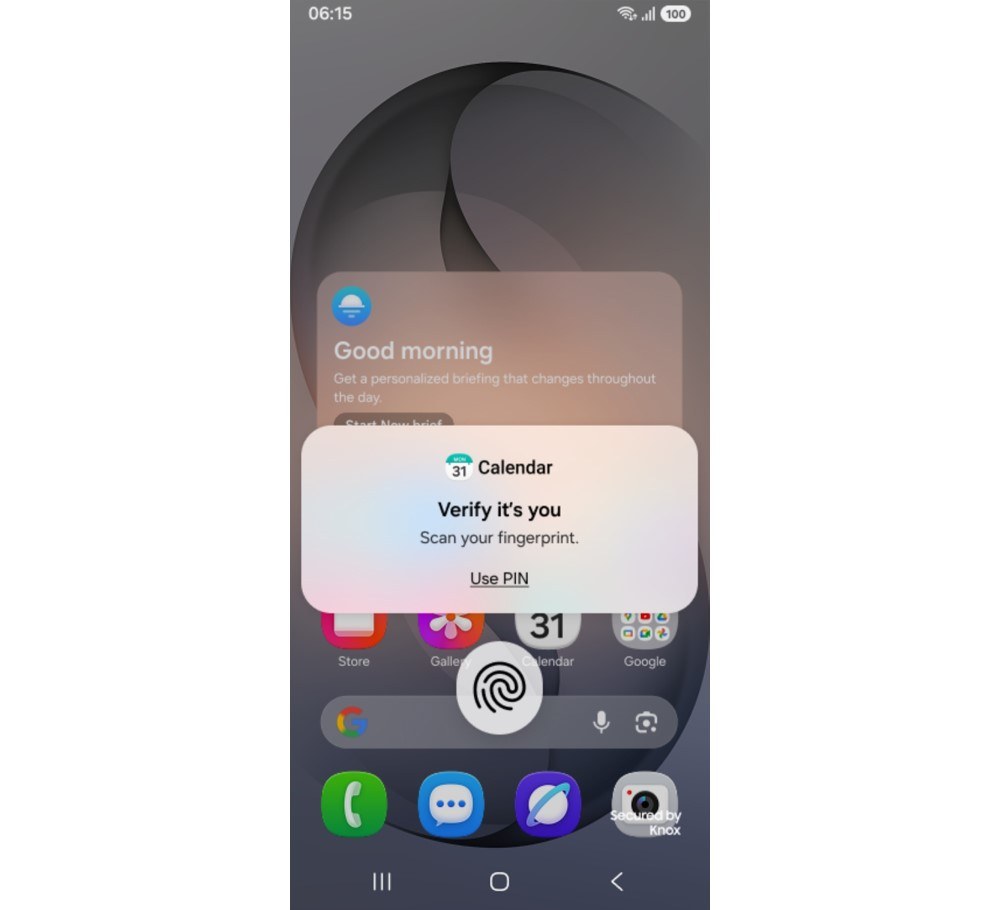
App Lock controls who can open an app on your phone. Keep reviewing app permissions separately, especially for photos and videos you share with other apps.
How to join the One UI 9.5 beta in India
You need a Galaxy S26, S26+ or S26 Ultra in a supported country, a Samsung account and the Samsung Members app, which you can reinstall from the Galaxy Store or Play Store if you removed it. Back up first, using Smart Switch on a PC or Mac. Samsung strongly recommends this because data can be lost during a beta, and our phone backup guide covers the cloud side.
- Open Samsung Members and sign in with your Samsung account.
- Find the One UI 9.5 registration notice, banner or beta card in Samsung Members.
- Open the registration page, read the programme terms and submit your application. Samsung will enrol you if your device meets the criteria.
- Go to Settings, Software update and tap Download and install.
- Keep the phone charged and follow the installation prompts. Download over Wi-Fi.
Samsung rolls beta updates out gradually. An eligible model does not guarantee that registration or the download will appear immediately. If the beta card is missing, check Samsung Members for the current availability notice.
How to leave the beta and go back to One UI 9
Leaving the programme does not remove the beta from your phone. You can stay enrolled and wait for the official release if you want to avoid an immediate rollback. To go back to stable One UI 9 straight away, you need to do two things:
- In Samsung Members, open Settings, then Beta program settings, and choose Withdraw from beta program. Depending on your app version, the option may appear on the beta details page.
- Connect the phone to a computer, open Smart Switch and select Downgrade to reinstall the official software.
The reinstall resets the phone. Samsung says anything created during the beta is erased, and data from your pre-beta backup can be restored, though newer data may not come back fully. Samsung service centres can also reinstall official software if a beta install goes wrong.
Should you install it?
A spare S26 is a better place to try this beta than the phone you use for work and payments. Beta feedback through Samsung Members is how bugs get fixed, and the camera presets are worth trying if you shoot in Pro mode.
If your S26 is your only phone, I would wait for the stable release. Beta builds can bring bugs, battery drain and app compatibility problems, and the way back costs you a factory reset. Samsung has not announced a stable release date.
FAQ
Is the One UI 9.5 beta available in India?
Yes. Samsung opened the beta in India on 18 November 2026 alongside the US, the UK, Germany, South Korea and Poland.
Which phones can join the One UI 9.5 beta?
Only the Galaxy S26, Galaxy S26+ and Galaxy S26 Ultra for now. Samsung has not announced beta access for older Galaxy phones.
Can I roll back from One UI 9.5 beta without losing data?
No. Rolling back with Smart Switch resets the phone, so restore from a backup made before you installed the beta.