
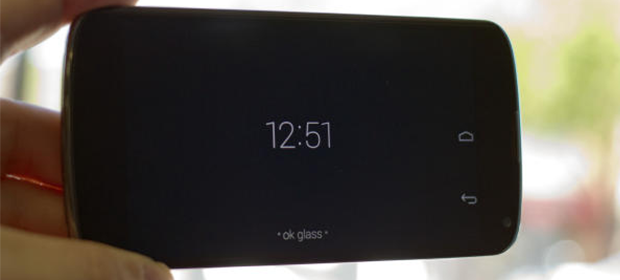
Everyone’s so excited about the Google Glass. Everyone hopes that google ships these devices by the end of 2013. For the unlucky ones who could not get the hands on the Google Glass , this might be your lucky day. Couple of developers have hacked the glass for good and made it to run on a Android Phone.
Requirements :
1. Android Phone
2. Downloads –
- Glass Maps [UPDATED]
- Home: http://zhuoweizhang.net/Xenologer/glasshome-modded.apk
- Voice: http://zhuoweizhang.net/Xenologer/glassvoice-modded.apk
- Camera: http://zhuoweizhang.net/Xenologer/xe6/glasscamera-modded.apk
- Browser: http://zhuoweizhang.net/Xenologer/glassbrowser-modded.apk
- People: http://zhuoweizhang.net/Xenologer/glasspeople-modded.apk
- Setup: http://zhuoweizhang.net/Xenologer/glasssetup-modded.apk
Instructions :
- Download the files and Copy them onto the Android Phone’s SD Card
- Install “glasshome-modded.apk”
- Install “glasscamera-modded.apk”
- Install “glassmaps-modded.apk“
- Install “glasssetup-modded.apk“
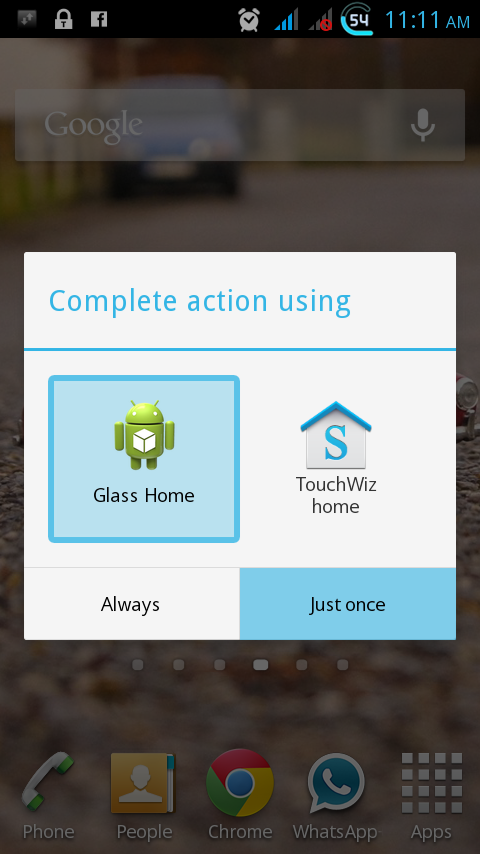
- Click on the home button on your android device and select “Glass Home”
Google Glass Command List:
Start any commands by saying “Ok Glass” to invoke the Voice Recognition.1. Google…
2. Take a Picture
3. Record a Video
4. Get Directions to…
5. Send a Message to…
6. Make a Call to…
7. Hangout with…
For more fun, Download the official MyGlass companion ( Link ) onto another companion phone and connect to the Glass device with MyGlass.


Leave a Reply