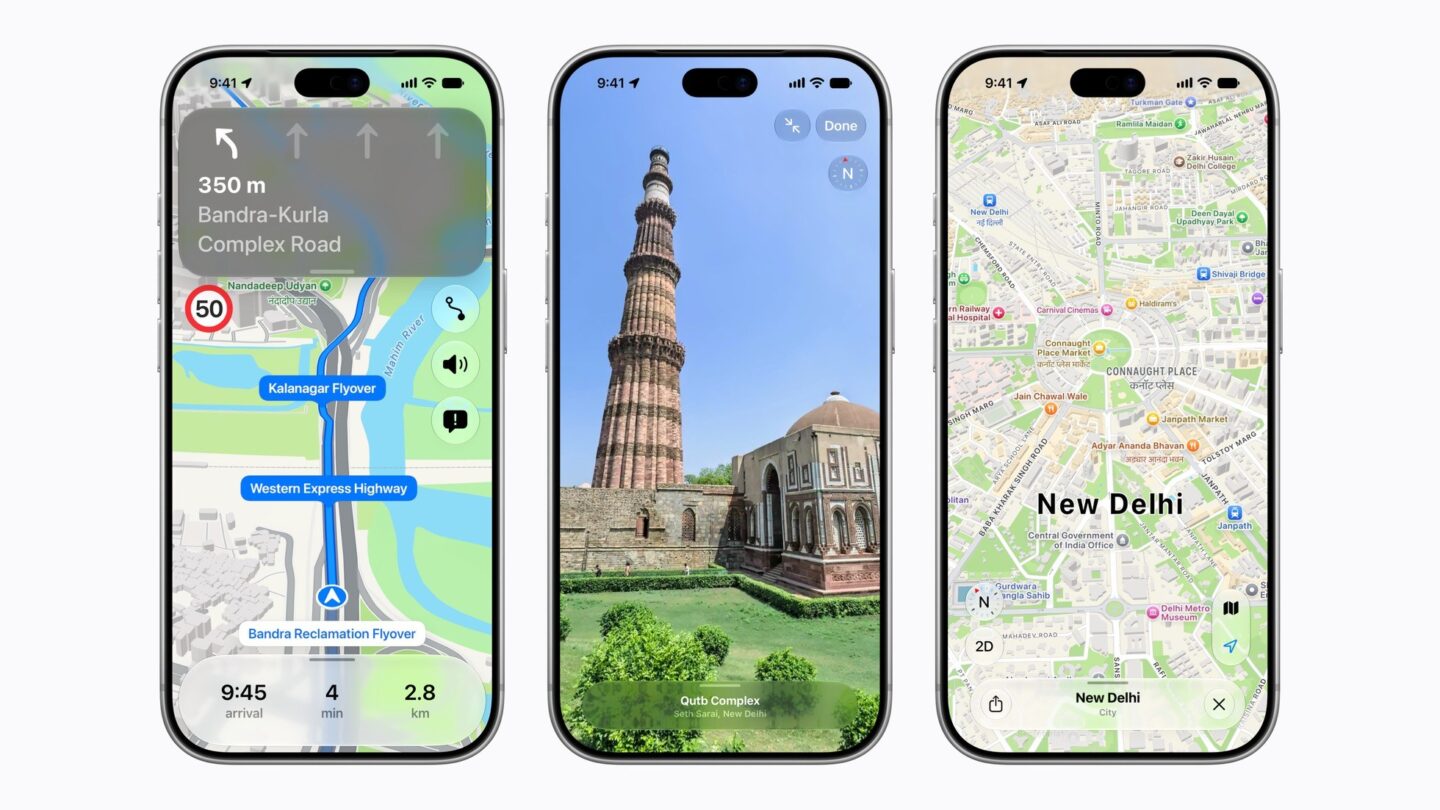
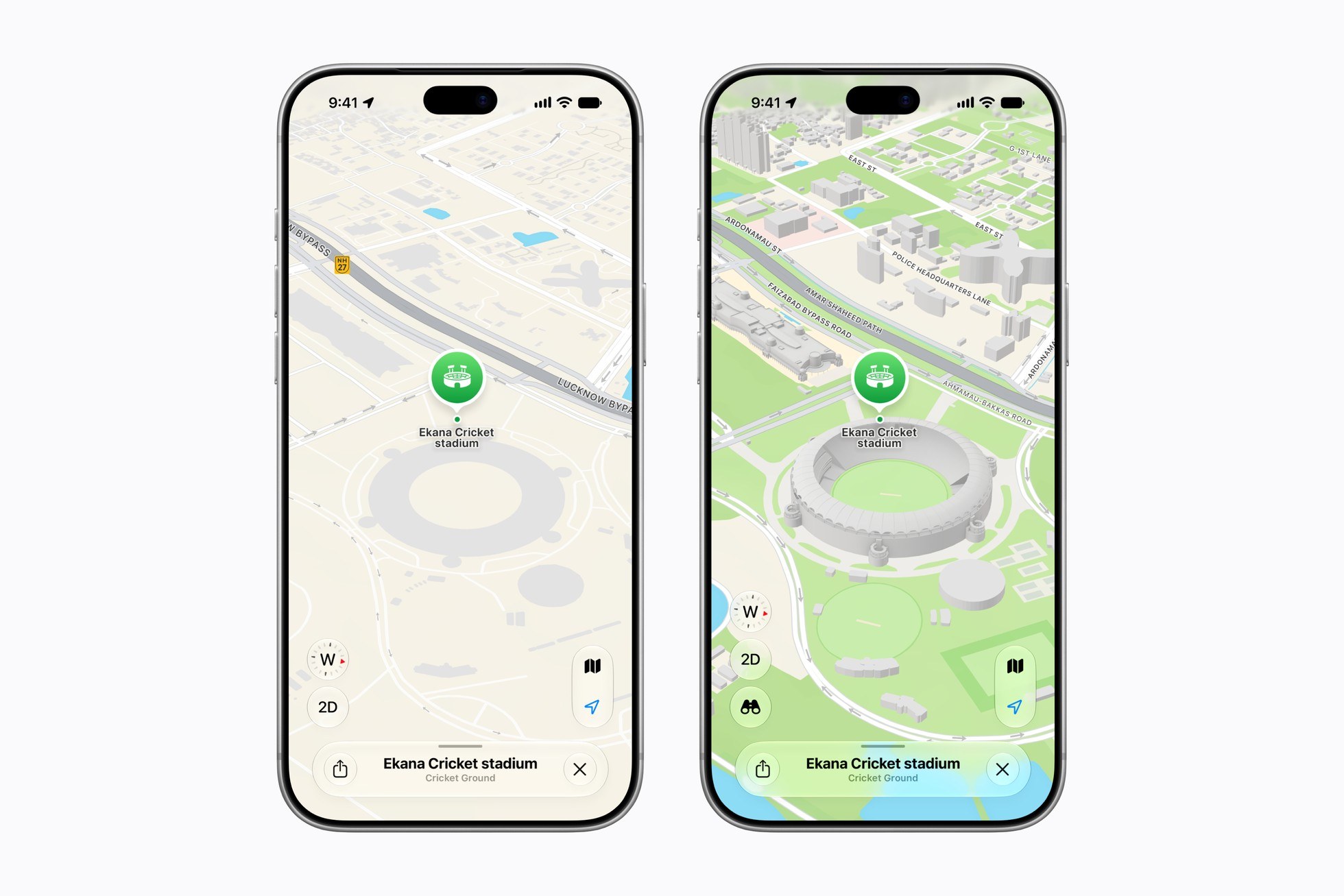
Apple Maps in India has a rebuilt map as of 18 November 2026 with more detailed roads and buildings, more than 300 3D landmarks, Look Around street-level imagery and directions that use landmarks such as petrol pumps instead of relying on road names alone.
The new map is live now. The two India-specific features, landmark-based voice directions and dual-language labels, need iOS 27.2 or later on iPhone, with matching 27.2 versions on iPad, Apple Watch and Mac. If your phone is up to date, you can test the new map on your next drive.
What is new in Apple Maps in India
The base map is the biggest change. Apple says roads, buildings, parks and shopping centres now carry far more detail, and navigation is faster and more accurate. That is Apple’s claim; how well it handles your local roads will take time to judge.
| Feature | What it does |
|---|---|
| New detailed map | More detailed roads, buildings, parks and malls, plus 300+ 3D landmarks |
| Landmark-based directions (India-specific) | Voice cues such as “Turn right after the petrol pump” |
| Dual-language labels (India-specific) | Place names in English and the local language |
| Look Around | Street-level 3D imagery you can move through |
| AR Walking Directions | Arrows over the camera view after scanning nearby buildings |
| Lane guidance | Shows the right lane before a turn or flyover ramp |
| Multi-stop routes | Up to 15 stops, planned on Mac or iPad and synced to iPhone |
| Transit | Eight cities plus Indian Railways, with alerts before your stop |
Directions that sound like a local
Anyone who has asked for directions in an Indian city knows the answer comes in landmarks, not street names. Apple’s Natural Language Guidance already gave conversational cues such as “At the next traffic light, turn left.” For India, Apple has added pillars and other points of interest so the voice can guide you along roads that have no names. For a road with no clear name, a visible landmark can be easier to follow.
Lane guidance helps with the other classic Indian driving problem: realising too late that you needed the flyover ramp, not the service road. Maps now shows the correct lane before you turn or join an elevated road. The same navigation also works through CarPlay.
You can also report an accident, hazard or speed check without touching the screen by telling Siri AI “There’s an accident up ahead” or “There is something on the road,” and mark an incident as cleared the same way. Share ETA sends your arrival time to family, and Maps updates them if you hit a big delay.
Dual-language labels and Indian languages
Indian signboards often show English alongside the local language, and the new map does the same. Labels depend on your device language and the region you are viewing. With your iPhone set to English, Delhi shows Hindi and English, while Mumbai shows Marathi and English. Maps supports English and Hindi and has added Bengali, Gujarati, Kannada, Malayalam, Marathi, Tamil, Telugu, Punjabi, Odia and Urdu.
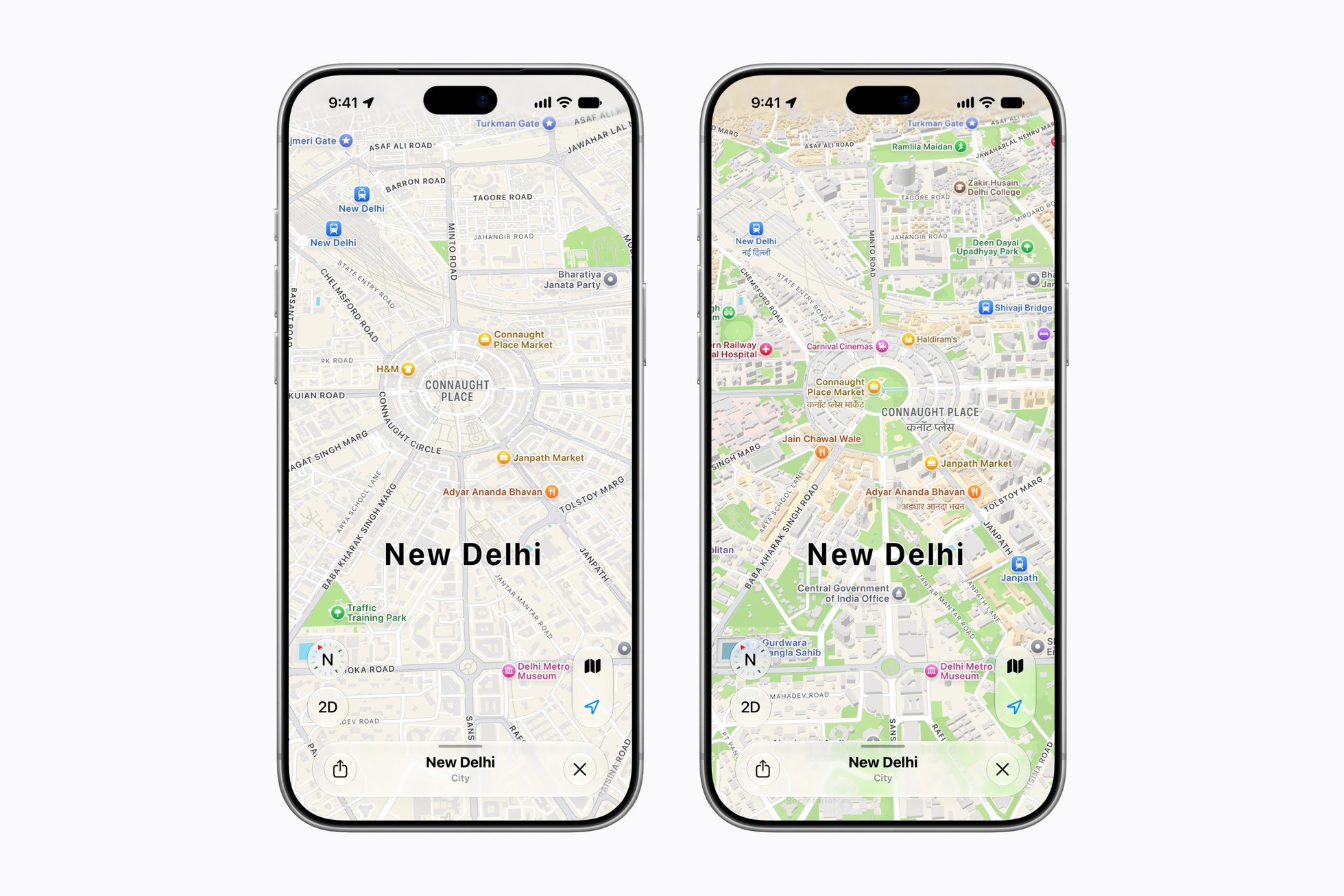
To get these labels and the landmark-based guidance, update first. On iPhone, go to Settings, General, Software Update and install iOS 27.2 or later. Our iOS 27.2 guide covers what else that update changes. The language your phone uses is set under Settings, General, Language & Region.
Look Around and AR walking directions
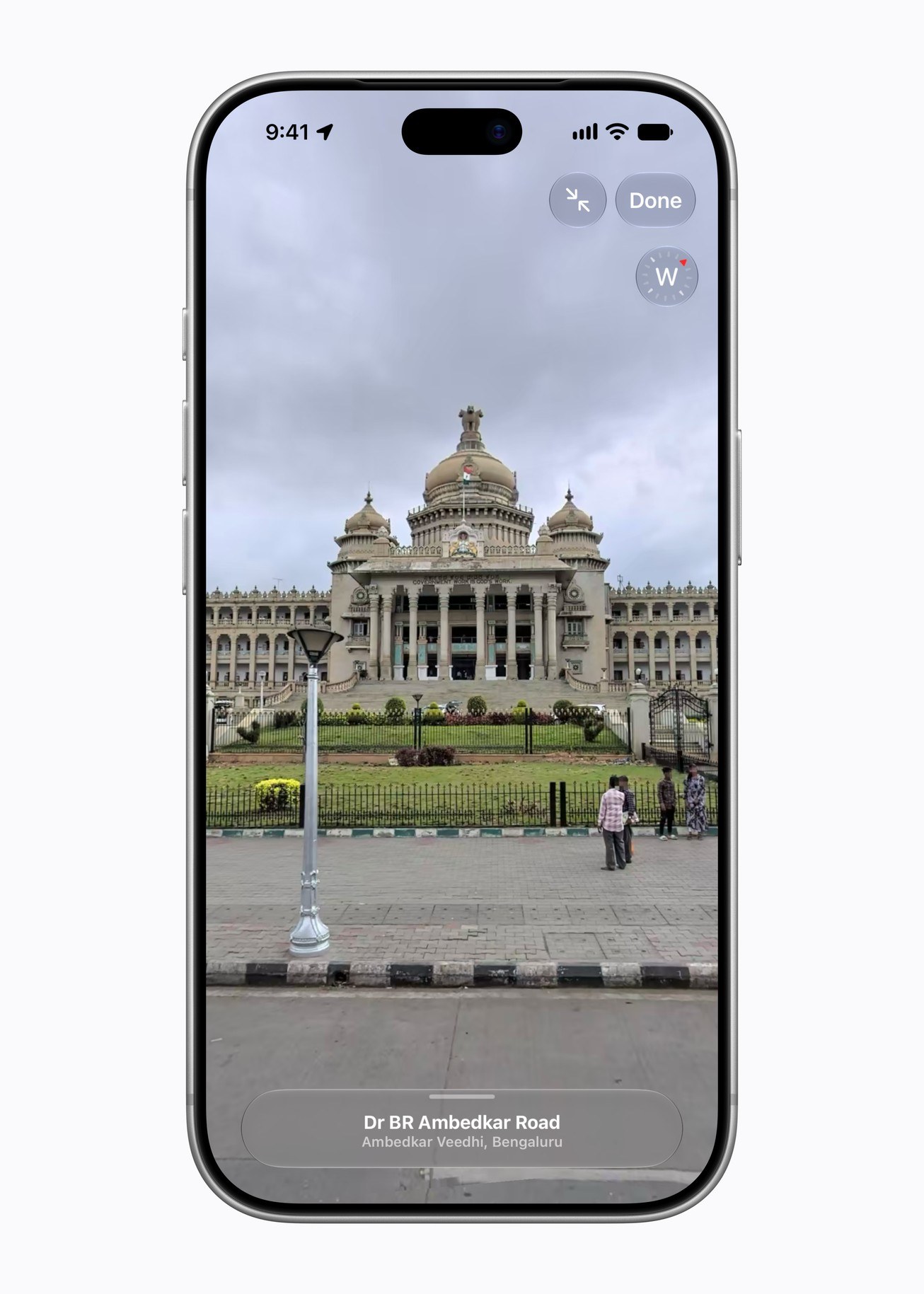
Look Around is Apple’s answer to street-level imagery, with high-resolution 3D photography and smooth movement along the road. It is new in India, and anyone in the world can now browse Indian streets with it, which is handy for checking a hotel entrance before you visit. Apple’s launch images show Mumbai, Bengaluru and New Delhi, but the announcement does not provide a complete city-by-city coverage list. Do not assume every street is available.
To try it, open Maps and find an area you want to explore. When the Look Around button appears near the bottom of the map, tap it. Drag the scene to look around, tap ahead to move along the street and tap Done to return to the map.
AR Walking Directions works the other way round. Raise your iPhone, let it scan the buildings around you, and Maps works out your exact position before placing step-by-step directions over the camera view. That can help when you leave an unfamiliar station and are not sure which way to walk.
Transit and privacy
Transit directions cover Ahmedabad, Bengaluru, Chennai, Delhi, Hyderabad, Kolkata, Mumbai and Pune, plus Indian Railways. You can find nearby stations, pin favourite routes and get a notification when your stop is coming. Coverage is limited to the services Apple supports, so check the route before setting out.
Privacy remains Apple’s main pitch. It needs no sign-in, ties searches and routes to random identifiers that reset regularly, and blurs the location a search came from to a less exact one within 24 hours.
Where coverage still needs checking
The new base map does not mean every feature covers every road. Check whether Look Around appears at the place you need and whether Maps offers your transit route. Apple’s announcement does not confirm speed-limit displays or fixed speed-camera coverage for India. User-reported speed checks are a separate feature.
Should you switch from Google Maps?
If you use an iPhone with CarPlay or an Apple Watch, it is worth a proper week of use now, especially for commutes in the eight transit cities. Landmark cues, lane guidance and no sign-in make a good case. Keep Google Maps installed for now, though. The useful test is whether it gets your regular journeys right, including the last turn into your street. Techzei has not tested the new map on the road yet.
FAQ
Is the new Apple Maps available across India?
Yes. Apple says the all-new map is rolling out across India from 18 November 2026. Some features, such as transit, are limited to specific cities.
Which iOS version do I need for the new Apple Maps in India?
Apple lists iOS 27.2, iPadOS 27.2, watchOS 27.2 or macOS 27.2 or later for dual-language labels and landmark-based Natural Language Guidance. Updating to the latest version is the simplest way to get everything.
Which Indian languages does Apple Maps support?
English and Hindi, plus Bengali, Gujarati, Kannada, Malayalam, Marathi, Tamil, Telugu, Punjabi, Odia and Urdu.