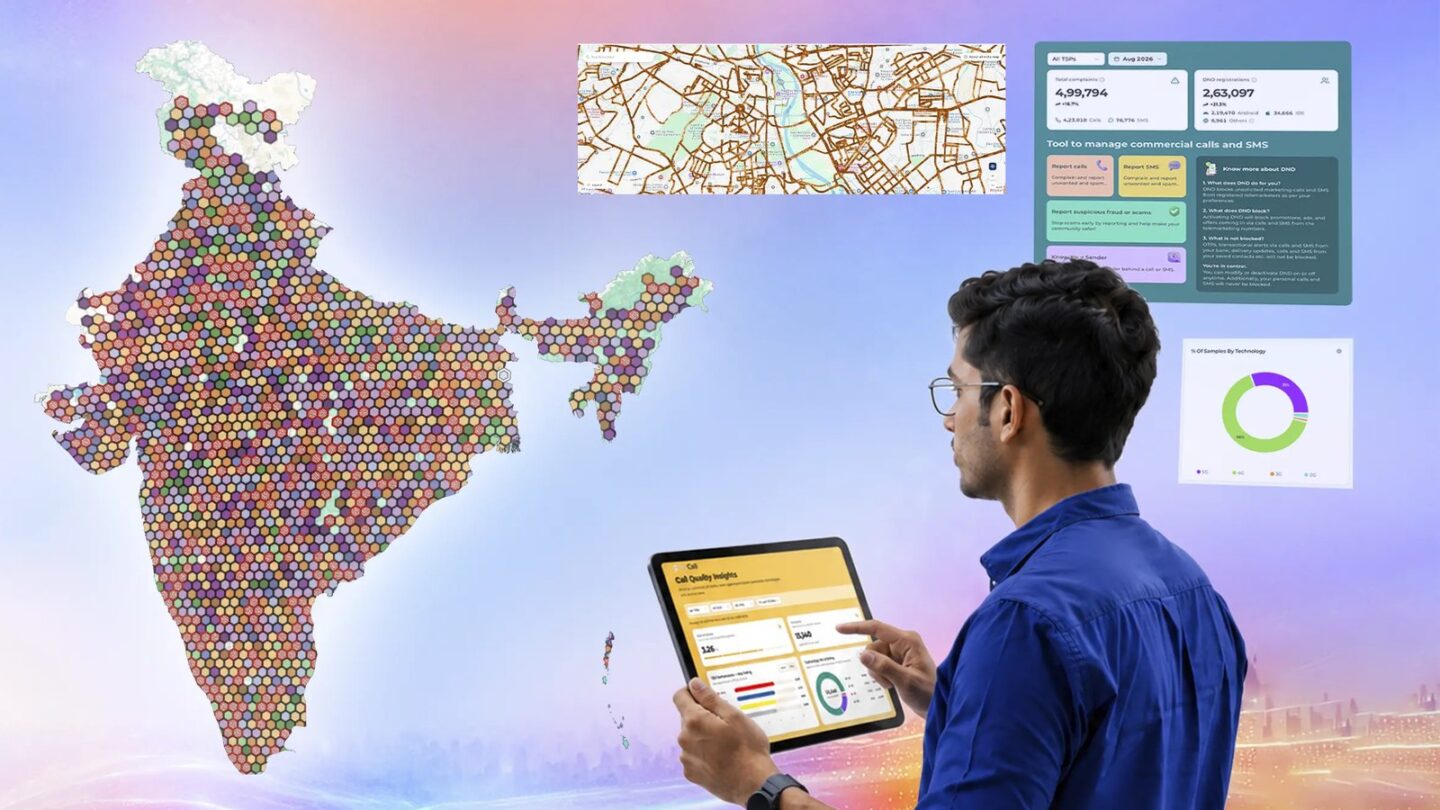
TRAI Network Anubhav is a new, free public map that shows how mobile and home broadband connections actually perform where you live. It combines speed and call-quality tests run by ordinary users in TRAI’s own apps with the regulator’s independent drive tests. You can filter by operator and by 2G, 3G, 4G or 5G, and the same site now lets you manage Do Not Disturb (DND) and report spam from a browser.
TRAI launched the platform on 4 November at anubhav.trai.gov.in. It’s most useful in two situations: before you port your number to another operator, or when you’re picking a broadband provider for a new flat. The map can help you compare operators, but its test results need some context.
What TRAI Network Anubhav is
TRAI describes Network Anubhav as a geospatial and analytical dashboard. It pulls together three sets of data:
- User data tests (UDT): results from people who run tests in TRAI’s MySpeed app and rate calls in its MyCall app.
- Independent drive tests (IDT): TRAI’s own coverage and speed measurements, kept separate from user tests.
- DND on the web: a browser version of the TRAI DND app for spam preferences and complaints.
The platform serves three audiences. Consumers get the maps. Operators get a secure interface showing call quality, coverage and internet test data with location, date and time, so they can find areas that need work. TRAI uses the aggregated data to monitor networks. TRAI chairman Anil Kumar Lahoti said the platform “empowers consumers to analyse location and service provider specific tests” and “enables TSPs to identify areas for network optimisation”.
TRAI is also offering a MySpeed SDK, so eligible third-party apps can build its measurement tools in. If other apps adopt it, the number of tests feeding the map could grow well beyond TRAI’s own apps.
How to check speeds and coverage in your area
The map runs in any desktop or mobile browser. You don’t need to sign in to view it.
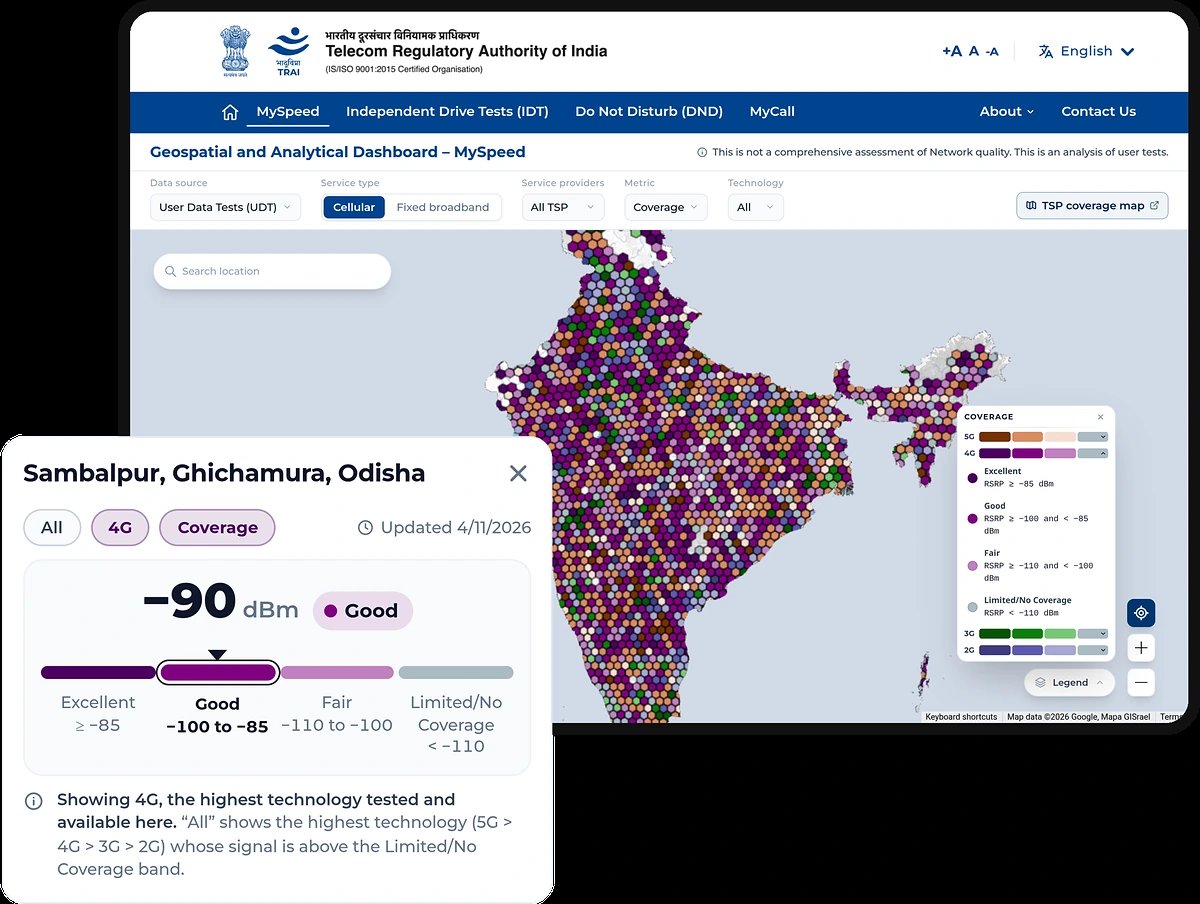
- Open anubhav.trai.gov.in and choose MySpeed from the top menu to open the Geospatial and Analytical Dashboard.
- Under Data source, keep User Data Tests (UDT) for crowd-sourced results, or switch to Independent Drive Tests (IDT) for TRAI’s own measurements.
- Under Service type, pick Cellular for mobile data or Fixed broadband for home connections.
- Under Service providers, leave All TSP selected or pick the operator you’re considering.
- Under Metric, choose Coverage or a speed metric, and under Technology choose All or a specific generation such as 4G or 5G.
- Type your locality in Search location, or zoom the map, then tap a hexagon to see that area’s result and when it was last updated.
TRAI says you can also use the legends and supporting tables, and download reports, to dig into a location. A separate TSP coverage map button sits at the top right of the dashboard. It’s handy when you want to set an operator’s own coverage claims against what users have measured.
How to read the numbers: P50, P80 and P90
The speed figures are percentiles, not averages, and that’s a good thing. A handful of very fast tests near a tower can’t inflate the figure the way they would an average. Here’s how TRAI defines them.
| Value | Used for | What it means |
|---|---|---|
| P50 (median) | Mobile and fixed broadband | Half of the tests in that area recorded this speed or higher |
| P80 | Mobile broadband | 80% of tests recorded this speed or higher |
| P90 | Fixed broadband | 90% of tests recorded this speed or higher |
For day-to-day use, P80 and P90 give a useful lower-end view of the recorded tests. If an area’s P80 mobile download speed is 20 Mbps, roughly four out of five tests there hit at least that. P50 tells you what a typical test looks like. P80 and P90 tell you what you can count on most of the time. Fixed broadband is held to the stricter P90, which suits a connection you expect to perform the same way every day.
How to read the coverage colours
When you choose Coverage, the map colours each area by signal strength, measured as RSRP (reference signal received power) in dBm. The closer the number is to zero, the stronger the signal. TRAI’s legend uses four bands:
| Band | Signal (RSRP) | What to expect |
|---|---|---|
| Excellent | -85 dBm or stronger | Strong indoor and outdoor signal |
| Good | -100 to -85 dBm | Reliable for calls and data in most places |
| Fair | -110 to -100 dBm | Usable, but indoor rooms and basements may struggle |
| Limited or no coverage | Weaker than -110 dBm | Expect dropped calls and slow or failed data |
With Technology set to All, the map shows the highest generation tested in that area whose signal is above the Limited/No Coverage band, checked in the order 5G, then 4G, 3G and 2G. So an area marked Good under All might be good 4G with no usable 5G. Switch to 5G alone to check that. If you’re buying a 5G phone partly for speed, it’s worth confirming your operator’s 5G actually reaches your home and office. Our guide to 5G bands in India explains why band support matters too.
What the map can’t tell you
TRAI is upfront about the limits. The dashboard carries a banner saying “This is not a comprehensive assessment of Network quality. This is an analysis of user tests.” The press note adds that the values “do not represent comprehensive assessment of network quality based on standard methodology”.
In practice, keep these in mind:
- Sample size varies. A busy city area may have thousands of tests while a small town has a handful, so a single hexagon can be swayed by a few results.
- Results reflect each tester’s phone and conditions. TRAI’s MySpeed listing says results depend on device capability, network load, environmental factors and signal conditions. An older phone indoors will record lower numbers than a new phone on a rooftop.
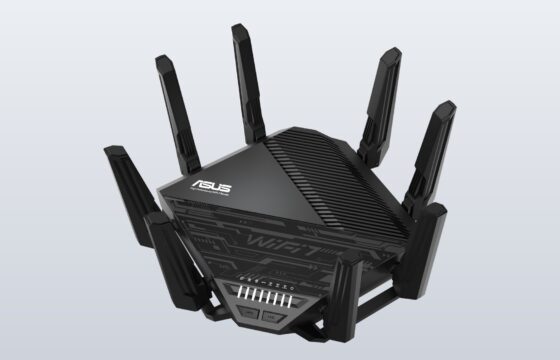
- Broadband tests depend on Wi-Fi. A fixed broadband test run over weak Wi-Fi measures the router as much as the line. If your own results are poor, our Wi-Fi 7 router guide covers when the router is the real bottleneck.
- Drive tests are snapshots. IDT data shows what TRAI measured on a particular route at a particular time.
Use the map to spot patterns, such as one operator consistently weaker in your area, rather than to settle the difference between two close numbers.
Add your own tests with MySpeed and MyCall
The map improves as more people contribute, and both of TRAI’s testing apps are free.
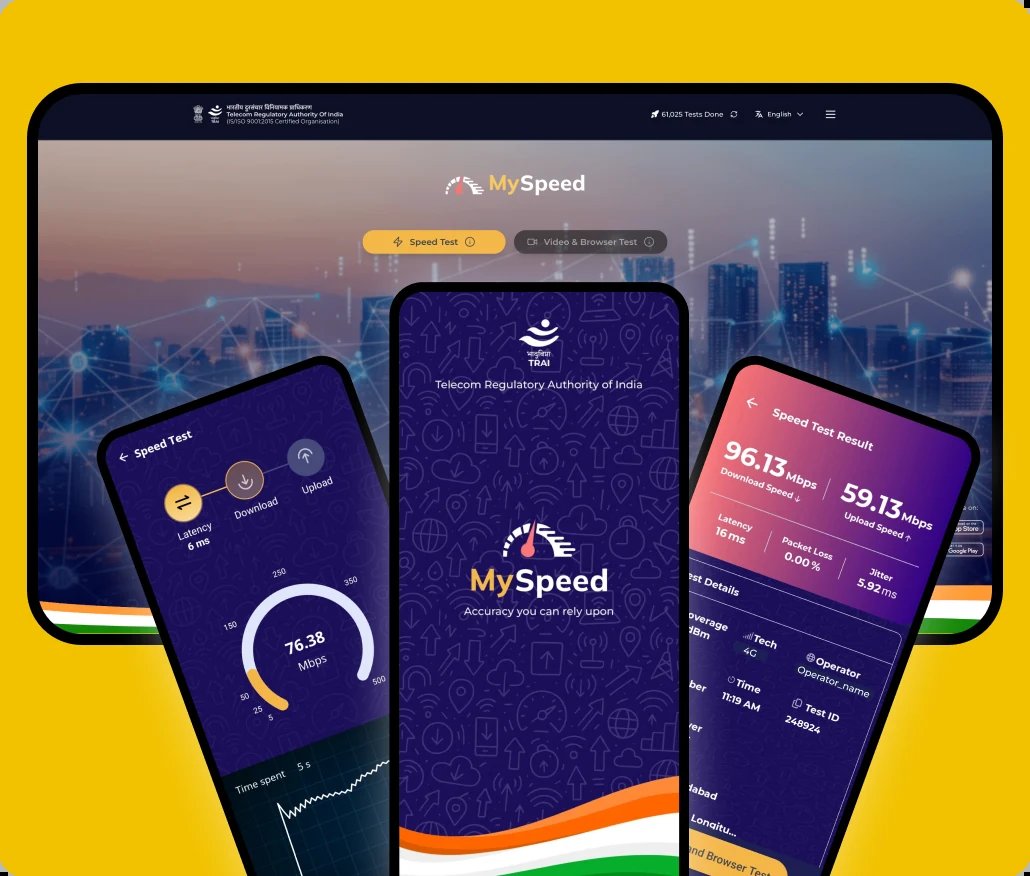
TRAI MySpeed works on Android, iPhone and the web at myspeed.trai.gov.in. According to its store listing, the app now covers more than download speed:
- Speed tests measure download and upload speed, latency, packet loss and jitter.
- Video and browser tests measure delay during simulated video streaming and web browsing.
- Continuous tests keep testing speed or signal coverage while you walk or drive, which helps map a commute.
- Scheduled tests run in the background at times you set, so you can track trends over days.
- A history tab and a map view of aggregated, anonymised results.
- A setting to cap how much data the tests use, worth turning on if you’re on a limited plan.
TRAI MyCall is Android-only. After a call ends, it asks you to rate the call from one to five and to say whether you were indoors, outdoors or travelling. The Play Store listing says it collects feedback on voice quality, call drops and connectivity issues, along with network information from the call. On Network Anubhav, the MyCall view can be filtered by operator, technology and licensed service area (LSA), better known as your telecom circle.
If your network is consistently bad and you want it fixed rather than mapped, these apps are not a complaint channel. Raise it with your operator first, then appeal. Our explainer on TRAI’s new complaint and appeal rules covers the timelines.
Manage DND and report spam on the web
The other half of Network Anubhav is a web version of TRAI DND. On the web, you log in by choosing your service provider and entering your mobile number. According to TRAI, you can then:
- Set your preferences for commercial calls and SMS. The DND app’s listing describes Full DND, or Partial DND where you pick the categories you still want.
- Register complaints about unsolicited commercial communication (UCC) and track them.
- See consolidated and provider-wise complaint figures.
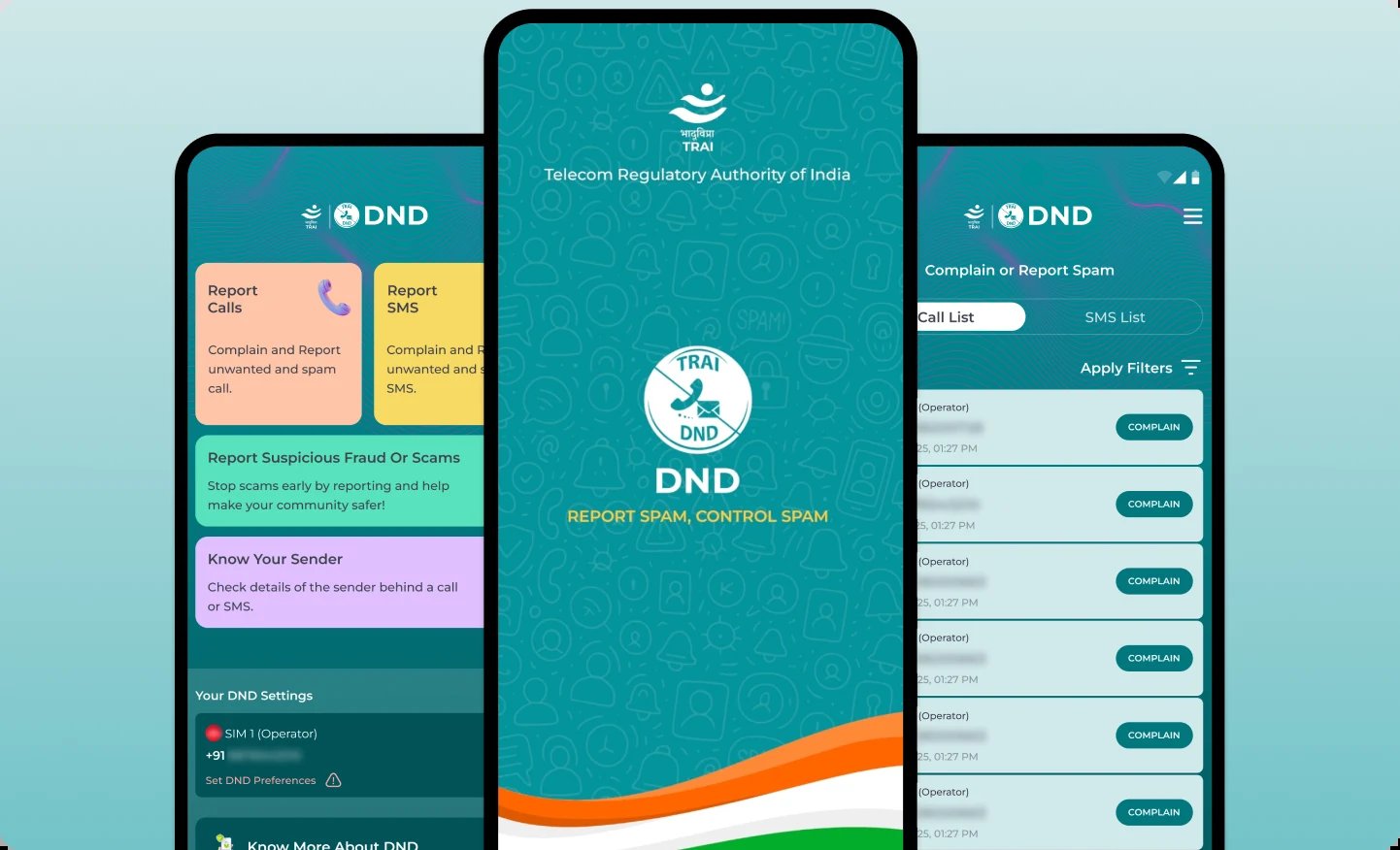
TRAI’s DND page explains what the service does and doesn’t block. DND stops promotions, ads and offers sent by calls and SMS from registered telemarketers, based on your preferences. Your personal calls and SMS are never blocked, and you can change or switch off DND at any time. The app version adds options to report calls, report SMS, report suspected fraud or scams, and check the sender behind a call or SMS with Know Your Sender.
DND has a clear limit. It works against registered telemarketers. Scam calls from ordinary mobile numbers aren’t covered by DND preferences, so you still need to report them. For a stolen or lost phone, use Sanchar Saathi to block the device. On Android, scam detection in Google Messages adds a second layer for SMS.
Who should use Network Anubhav
- People planning to port: compare operators’ P80 speeds and coverage around your home and workplace before switching. Our guide to activating an eSIM on Jio, Airtel and Vi helps if you’d rather test a second operator on a dual-SIM phone first.
- Flat hunters: check fixed broadband results and mobile coverage in a building’s locality before signing a rental agreement.
- Anyone fed up with spam: the DND web interface is the quickest way to set preferences from a laptop.
- People with poor service: run MySpeed and MyCall tests regularly so your area’s problems show up in the data that operators and TRAI see.
FAQ
Is TRAI Network Anubhav free?
Yes. The website and TRAI’s MySpeed, MyCall and DND apps are free from TRAI.
Do I need to log in to see speed maps?
No. The maps are open to everyone. You only log in, with your provider and mobile number, to use the DND features.
Is MyCall available on iPhone?
Not right now. TRAI lists MyCall for Android only. MySpeed and DND are on Android and iPhone, and MySpeed also runs in a browser.
Why does my operator look worse on the map than in its own ads?
The map shows tests run by real users with their own phones, in their own homes and streets. Operator figures and coverage maps are measured differently. TRAI itself says the user-test values are not a comprehensive assessment of network quality.
Does DND stop scam calls?
DND blocks promotional calls and SMS from registered telemarketers. Fraud calls from ordinary numbers aren’t covered by DND preferences, so report them through TRAI DND’s fraud and scam option.
What is an independent drive test?
It’s TRAI’s own measurement of coverage and speed, kept separate from tests run by users. Network Anubhav maps these results alongside user tests, and you can switch between the two with the Data source filter.
- SourceTRAI Network Anubhav
- SourceNetwork Anubhav: DND
- SourceNetwork Anubhav: MyCall
- SourceTRAI DND on Google Play